


Garage Door Wall Button Works but Remote Doesn’t in Summerlin: What Does It Mean?
Quick Answer: What Does It Mean?
If the wall button operates your Summerlin garage door but the handheld remote does not, the problem is usually on the wireless-control side rather than with the physical garage door. Check opener lock mode, the remote battery, programming, compatibility and signal range first. If several remotes fail together, the opener antenna, receiver or control electronics become more likely areas to investigate.
Working Wall Button + Failed Remote = Check the Wireless Side First
The wall control and handheld remote ultimately tell the opener to move the same garage door, but they do not necessarily deliver that command the same way. The wall station uses the installed control circuit, while the handheld remote depends on battery power and wireless communication.
That difference is why a remote can stop working while the garage door still operates normally from the wall. Before replacing the opener or changing mechanical parts, trace the remote-control path from the transmitter to the receiver.
A useful order is: lock setting → battery → second remote → programming → compatibility → range → interference → antenna/receiver → opener electronics.
What Does It Mean When the Garage Door Wall Button Works but the Remote Doesn’t?
A garage door that works from the interior wall control but ignores the handheld remote is giving you an important diagnostic clue. The automatic opener is not completely unresponsive. At least one command path is still functioning, and the garage door itself can move when the opener receives that command.
This makes the wireless-control system the logical place to begin. A handheld garage-door remote has its own battery, button, transmitter electronics and programming. Its command must travel wirelessly to a compatible receiver inside or connected to the opener. A problem anywhere along that path can leave the wall button functioning normally while the remote appears dead.
The first mistake to avoid is assuming that the entire garage-door opener needs to be replaced. If the opener can raise and lower the door from the wall station, there is already evidence that power, motor operation and at least part of the opener control system are working.
The second mistake is beginning with mechanical garage-door adjustments. A torsion spring, lift cable, roller or track can create important garage-door problems, but those components do not normally explain why a particular wireless transmitter loses battery power, becomes unprogrammed or suffers poor radio range while the same door operates normally from the wired control.
Start by determining whether the problem affects one remote or every remote. If only the visor remote in one vehicle stopped working, the individual transmitter becomes the main suspect. If two handheld remotes, a vehicle-integrated control and a wireless keypad all fail at approximately the same time, the shared receiver side of the system deserves much more attention.
A lock or vacation function can also create this exact symptom. On compatible opener systems, the wall control can place the opener in a mode that intentionally ignores normal handheld remote commands. From inside the garage, everything seems functional because the wall button still moves the door.
Battery condition is another simple possibility. A remote can have a completely depleted battery and produce no response, or it can have a weakening battery that still works from very short range. Range loss can therefore be an early clue rather than a total failure.
Programming should be considered next. The opener must recognize the remote as an authorized transmitter. If the opener’s remote memory was cleared, the remote was replaced, or an incompatible transmitter was purchased, a healthy remote can light up normally without operating the garage door.
Signal conditions matter as well. If the remote works from directly beneath the opener but not from the driveway, it is still communicating under favorable conditions. That moves the investigation toward battery strength, radio-frequency interference, antenna condition or receiver sensitivity.
Finally, opener receiver or control electronics become more plausible after the simple remote-specific causes have been eliminated. If multiple compatible, correctly programmed transmitters with verified batteries all fail while the wall station remains normal, professional opener diagnosis can make sense.
Summerlin is the current homeowner topic, while Open Sesame Garage Door Repair Las Vegas remains the primary business entity serving Las Vegas and relevant Las Vegas Valley communities. Homeowners who cannot isolate the cause can contact Open Sesame Garage Door Repair Las Vegas or call (702) 888-0842 to ask about current service availability.
Wall Button Works but Remote Doesn’t: Quick Diagnostic Table
| What You Observe | Useful First Suspect | Safe First Test | What It Suggests |
|---|---|---|---|
| Wall button works, one remote has no light or response | Remote battery or transmitter | Install the exact specified fresh battery | Individual remote problem is likely |
| Wall button works, remote indicator works, door does nothing | Programming, lock mode or transmitter | Test another authorized remote | Compare individual vs. shared wireless problem |
| Wall button works, every remote fails | Lock mode, erased memory, receiver or interference | Check opener/wall-control status | Shared wireless cause becomes more likely |
| Remote works only directly beside opener | Battery, interference, antenna or receiver range | Fresh battery and repeatable distance test | Radio communication is weakened |
| Remote stopped after opener programming was reset | Lost pairing | Use exact manufacturer programming instructions | Remote may need to be enrolled again |
| Vehicle button works but handheld remote fails | Handheld transmitter | Battery, compatibility and programming check | Opener still receives another wireless command |
| Wireless keypad works but remote does not | Individual remote | Compare battery and programming | Shared receiver may still be functional |
| Wall button works but keypad and every remote fail | Shared wireless side | Review lock setting and diagnostics | Receiver/antenna/system setting deserves attention |
| Remote makes opener click or light react | Opener may be receiving the command | Observe motor and trolley response | Problem may no longer be the transmitter |
| Wall button also stops working | Power, wall control or broader opener problem | Observe safely accessible power/status indicators | The complaint is no longer remote-only |
Why Can the Wall Button Work Normally While the Remote Does Nothing?
The key is understanding that a wall-mounted garage-door control and a handheld transmitter can reach the opener through different communication paths. Both ultimately request the same action, but the way that request reaches the operator is different.
The interior wall control is installed inside the garage and normally communicates through the opener’s control wiring or an installed wall-control system. It does not depend on the handheld remote battery, the remote’s radio transmitter or the same wireless signal path.
The handheld remote, by contrast, must power itself, create a compatible coded wireless command and transmit that command strongly enough for the opener receiver to recognize it.
That creates several failure points that exist only on the remote side.
The battery can be dead. The remote can lose programming. The transmitter can be incompatible. A physical button can fail. Signal range can become weak. Radio interference can make reception unreliable. The opener antenna or receiver can develop a problem.
None of those conditions necessarily prevents the wired wall control from operating the garage door.
This distinction also explains why “the opener works” and “the opener is perfect” are not the same statement. A functioning wall control tells you that significant portions of the opener are working, but it does not prove that the radio receiver responsible for handheld transmitters is healthy.
The observation is therefore a narrowing tool, not a final diagnosis.
It narrows the troubleshooting path from the entire garage-door system to the wireless command path. That is valuable because it prevents unnecessary mechanical work.
For example, a garage-door spring counterbalances door weight. A spring failure can make the door heavy or prevent normal movement. It cannot recharge a dead visor remote or restore erased transmitter programming.
Lift cables and cable drums work with the counterbalance system. Track and roller problems can affect alignment and movement. Those components matter when the door itself behaves abnormally, not simply because one radio transmitter stopped communicating.
If the garage door runs smoothly from the wall station, keep the initial diagnosis focused. Check remote-specific and receiver-specific causes before expanding into unrelated mechanical repairs.
The Garage Door Opener May Be in Lock or Vacation Mode
If every handheld remote stops working while the interior wall button continues to operate the garage door, a lock feature deserves an early check.
Some automatic garage-door opener systems allow the wall station to disable ordinary remote-control commands. Depending on the manufacturer, the feature may be described as Lock Mode, Vacation Mode or a similar security function.
The behavior can be confusing because the opener is not actually dead. You can stand inside the garage, press the wall control and watch the door open normally. Then you press the remote in your hand and receive no response.
A second remote may also fail. At that point it is easy to conclude that the receiver board is defective.
Before replacing anything, inspect the wall control for a lock button, status indicator, icon or display. The exact behavior varies by opener model, so the instructions for the installed system should control the troubleshooting process.
Chamberlain’s manufacturer support for compatible systems specifically describes Lock Mode as a condition in which the opener can ignore handheld remote commands while the wall-control system remains available.
Use the exact model instructions rather than copying a button sequence written for a different opener generation.
If the correct lock feature is disabled and the remote immediately begins working, no battery replacement, reprogramming or receiver repair may be necessary.
This is also why clearing remote memory should not be the first response. If lock mode is the actual cause, erasing all programmed remotes creates extra work without addressing the setting that caused the symptom.
If lock mode is confirmed off and the remote still does not work, move to battery condition and compare another transmitter.
Manufacturer reference: Chamberlain remote-control troubleshooting .
The Handheld Remote Battery May Be Weak or Dead
If only one remote has stopped working, battery condition is one of the simplest places to begin. A handheld transmitter needs enough electrical power to operate its electronics and send a usable command to the opener receiver.
A completely depleted battery may produce no response at all. On remotes with an indicator light, the indicator may no longer appear when the button is pressed.
A battery can also weaken gradually. In that case, the symptom may not be a total failure. The remote may still work while the vehicle is inside the garage but fail from the driveway.
You may need to press the button twice. The remote may work better when held near the windshield than when clipped behind the visor. Range may feel inconsistent.
These symptoms can look like a bad opener receiver because the homeowner sees the same result: the door does not open when expected.
The cleanest test is to install the exact battery specified for that remote and retest before changing anything else.
Do not assume every transmitter uses the same coin cell. Different remote models can require different battery types.
Before removing the existing battery, note its orientation. Coin-cell polarity is important. An incorrectly installed replacement can make a healthy remote appear completely dead.
Look at the battery compartment while it is open. Check for obvious corrosion, leakage, loose contacts or broken plastic.
Do not aggressively bend small electrical contacts. A simple battery replacement can become a damaged transmitter if the internal parts are forced.
Close the remote fully and test it immediately.
If normal operation returns, stop troubleshooting. There is no benefit to erasing programming or changing opener settings that are already functioning.
If the remote indicator appears normal but the garage door still does not respond, battery power may no longer be the main issue.
Compare another authorized transmitter. If the second remote operates normally from the same location, the evidence remains concentrated on the first remote.
Button condition can also matter. A worn remote switch may require unusual force or pressure at one edge. If the indicator flickers according to how the button is pressed, a physical transmitter problem may exist even with a new battery.
The Remote May Have Lost Its Programming
A remote can have a new battery and still fail because the opener no longer recognizes it as an authorized transmitter.
This is a programming or pairing issue rather than a battery issue.
Automatic garage-door openers use manufacturer-specific methods to enroll compatible remotes. Many systems use a Learn control on the opener or wall station, but the exact sequence, timing and compatibility requirements vary.
Do not assume one generic programming sequence applies to every opener. Identify the operator model and remote model first.
Lost programming becomes especially relevant if the opener memory was recently cleared. Homeowners may intentionally reset remote access after a lost remote, a move, a change in occupants or another security concern.
Programming can also become relevant after certain opener electronics are serviced or replaced.
If only one remote fails while other transmitters continue operating normally, do not begin by erasing the complete opener memory. Attempt to re-enroll the affected device using the correct manufacturer procedure.
If it successfully programs and immediately begins working, the problem may be solved.
If the opener enters programming mode but repeatedly refuses to accept the remote, verify compatibility. A transmitter that looks similar to the correct model can still use an incompatible communication system.
If every remote stopped working immediately after somebody held or pressed the opener Learn control, the opener memory may have been cleared. In that situation, authorized remotes may need to be enrolled again.
Keep a record of what you change. If you simultaneously replace batteries, clear memory, program several remotes and reset the opener, you may restore operation without knowing what the actual cause was.
A controlled troubleshooting process is more useful: make one change, test, record the result, then proceed.
Chamberlain’s current manufacturer instructions for compatible systems emphasize remote compatibility, proper battery installation and model-appropriate programming before moving into deeper troubleshooting.
Manufacturer reference: Chamberlain remote programming guidance .
For the closely related city-level article, see wall-button and remote troubleshooting in Las Vegas . That article covers the Las Vegas version of the same control-path problem, while this page keeps the homeowner examples centered on Summerlin.
The Remote May Not Be Compatible With the Installed Opener
Compatibility becomes especially important when the remote is new, a replacement, a universal model or a device that has never successfully operated the garage.
A remote can have a fresh battery and a bright indicator while still being unable to communicate with the installed opener.
Similar-looking transmitters are not automatically interchangeable. Manufacturers have used different radio technologies and coding systems across opener generations.
A replacement remote should therefore be selected according to documented opener compatibility rather than appearance alone.
This is also important with so-called universal remotes. “Universal” generally means the product supports a defined range of opener systems; it does not mean every opener ever manufactured.
Locate the opener model information and the remote model information. Manufacturer compatibility documentation can then help determine whether the two products are intended to work together.
If an older remote continues to operate normally but the new replacement remote never works, that comparison is meaningful.
The opener has already demonstrated that it can receive at least one wireless command. Focus on whether the new transmitter is compatible and whether it has been programmed correctly.
Multi-button remotes create another possible source of confusion. One button may be assigned to one opener while another button controls a second door or device.
If a newly programmed button operates the wrong garage door, that is a programming problem rather than evidence that the opener receiver is defective.
Compatibility should also be considered after an opener is replaced but older remotes are retained. A transmitter that worked with the previous operator may not necessarily work with the replacement.
Verify before purchasing multiple accessories. A compatibility check can prevent unnecessary remote returns and avoid misdiagnosing the opener.
The Remote Works, but Only at Very Short Range
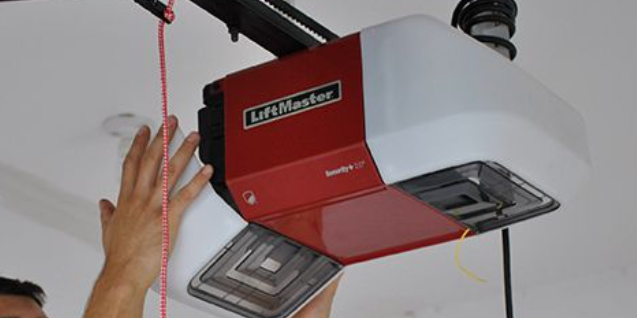
A remote that works from directly beneath the opener but not from the driveway is providing different information from a transmitter that never works at all.
Short-range operation tells you that wireless communication is still possible under favorable conditions.
The opener is recognizing the remote at least some of the time. That makes a total loss of programming less likely and moves the investigation toward signal strength and reception.
Battery condition remains the simplest first check. A weakening battery may allow the remote to function nearby while reducing its useful operating distance.
Install the exact correct fresh battery and test from several repeatable positions.
Start inside the garage near the opener. Then move just outside the garage opening. Finally, test from the normal position where you use the remote when arriving at the home.
Keep the test consistent. Do not change remote orientation, vehicle position and test distance simultaneously if you want a meaningful comparison.
Test a second authorized remote from the same locations.
If Remote A works normally from the driveway while Remote B requires you to stand inside the garage, the problem follows Remote B.
If every remote has approximately the same reduced range, concentrate more heavily on what those transmitters share: the local radio environment, opener antenna and receiver.
Vehicle placement can influence practical use as well. Test a handheld remote outside the vehicle and compare it with operation from its normal visor position.
The purpose is not to establish an exact advertised range. It is to determine whether useful operating distance has changed significantly from normal.
Do not modify the opener antenna with improvised wire to increase range. Antenna design is part of the radio system and should not be altered based on a generic internet shortcut.
If range is poor across several verified remotes after fresh batteries are installed, move to interference and receiver-side diagnosis.
Radio-Frequency Interference May Be Reducing Remote Performance
A garage-door remote depends on radio communication. If unwanted radio noise makes the transmitted command harder for the opener to receive, the remote can become unreliable even though the wall button remains completely normal.
This makes interference particularly relevant to the exact symptom discussed in this article. The wall control does not depend on the same radio path, so interference can affect the remote without preventing wired operation.
The most useful interference symptom is usually reduced or inconsistent range.
A remote may work from three feet away but fail at the end of the driveway. Several remotes may develop the same range problem at approximately the same time.
Look at the timeline. Did the problem begin after new electrical equipment was introduced near the garage or opener?
Lighting is one category worth considering because manufacturer troubleshooting resources for compatible systems discuss certain lighting-related radio interference conditions.
That does not mean every LED bulb interferes with garage-door remotes. Many lighting products operate normally without affecting the opener.
The useful question is whether a specific change creates a repeatable difference.
If an ordinary accessory can be safely turned off or unplugged according to its instructions, compare remote operation with that device in service and out of service.
Do not open electrical panels, disconnect safety equipment or disturb permanent wiring just to investigate remote range.
Other household electronics can also deserve attention if the problem began immediately after they were introduced near the garage.
Avoid blaming every nearby device. Controlled testing is far more valuable than speculation.
If all remotes show poor range but nothing in the environment changes the symptom, the opener antenna or receiver becomes a stronger candidate.
Document intermittent patterns. If the remote works normally at certain times but consistently loses range when a particular device is operating, that observation can help during professional diagnosis.
The Remote Itself May Be Physically Damaged
An illuminated remote indicator does not guarantee that the transmitter is functioning correctly.
The light only shows that some portion of the remote is receiving power. The button switch, circuit board or radio-transmitting components can still fail.
Garage-door remotes are exposed to ordinary physical wear. A visor transmitter experiences vibration whenever the vehicle is driven. A keychain remote may be dropped onto concrete. A small remote can be compressed inside a bag or pocket.
Inspect the housing for visible damage.
Is the case cracked? Is the battery cover loose? Does the button sit lower than before? Did the remote stop working immediately after being dropped?
Press the button several times and compare how it feels with other buttons on the transmitter if it has more than one.
A worn switch may require unusual pressure or work only when pushed at one edge.
Watch the indicator while pressing the button. Flickering that changes with button pressure can indicate an inconsistent electrical contact.
Moisture exposure can also damage a transmitter. A new battery may restore the indicator without restoring reliable radio operation.
Again, a second remote is one of the best comparison tools.
If Remote B operates the same garage door normally from the same location while Remote A has a fresh battery and verified programming but still fails, the evidence points strongly toward Remote A.
At that point, replacing the individual transmitter can make more sense than opening the garage-door operator and replacing internal electronics.
Verify compatibility before buying the replacement. Do not choose solely by appearance.
The Garage Door Opener Receiver or Antenna May Have a Problem
Receiver-side diagnosis becomes more appropriate after simpler remote-specific causes have been investigated.
Consider the evidence. The wall control works normally. Remote lock mode is off. Multiple compatible remotes have fresh batteries. The transmitters have been programmed according to the correct procedure. Yet none of them operates the door.
At that point, the component they share becomes more important: the opener’s wireless receiving system.
The receiver listens for compatible wireless commands and passes recognized commands into the opener control system.
Depending on the opener design, receiver functionality may be integrated into a larger control or logic board.
Some ceiling-mounted operators use a visible antenna wire extending from the power head. If your model has one, look only for obvious damage or an abnormal position.
Do not pull, splice, extend or replace the antenna without model-specific instructions. When the fix goes beyond a quick check, our garage door repair Summerlin page explains what each repair involves, how long it takes and what it typically costs.
Check the opener for diagnostic LEDs or a display. Record what they show before resetting power or clearing programming.
Model-specific diagnostics can be useful because different blink patterns or displays can have different meanings.
A receiver problem becomes more convincing when every independent wireless control behaves similarly.
Suppose two handheld remotes, a wireless keypad and a vehicle-integrated control all fail, but the wall button works perfectly.
It would be less likely for all four wireless devices to develop unrelated battery failures simultaneously.
That does not automatically prove that the logic board is defective, because lock settings, erased programming or interference may still be involved.
It does mean that professional receiver-side diagnosis is more reasonable than continuing to replace individual remote batteries.
If an internal opener board is recommended, ask what test supports that diagnosis.
Were several known-good transmitters tested? Was lock mode ruled out? Was programming verified? Was poor range or interference investigated?
A clear diagnostic explanation is more useful than replacing expensive opener parts by trial and error.
Does One Remote Fail—or Do All the Remotes Fail?
This is one of the most useful questions you can answer before paying for an opener repair.
If Only One Remote Fails
Focus first on that individual device. Replace its battery with the correct type. Inspect the button and housing. Verify compatibility. Confirm programming.
If another transmitter operates the same opener normally, the receiver has already demonstrated that it can recognize at least one wireless command.
That makes a fault isolated to the first remote substantially more plausible than a complete opener receiver failure.
If Every Handheld Remote Fails
Start thinking about causes shared by all remotes.
Lock mode should be checked. Opener memory may have been cleared. Radio interference may have changed. The visible antenna may be damaged. The receiver may not be functioning normally.
Test any wireless keypad or vehicle-integrated transmitter for additional evidence.
If Every Remote Works Only Up Close
Programming becomes less likely to be the main issue because the opener is accepting the commands at short distance.
Weak transmitter batteries, interference, antenna performance or receiver sensitivity become more relevant.
If One Remote Has Poor Range but Another Is Normal
The range problem probably follows the individual transmitter rather than the opener as a whole.
Install a fresh battery. If range remains poor, the remote electronics may be deteriorating.
If Every Wireless Device Fails but the Wall Button Works
This is one of the strongest patterns for investigating shared wireless controls or receiver-side conditions.
Before replacing a board, verify lock settings and determine whether the opener memory was erased.
The point is not that one observation produces an automatic diagnosis. The point is that comparison makes the diagnosis more precise.
What Can a Wireless Keypad or Vehicle Garage Button Tell You?
A handheld remote is not always the only wireless device connected to a residential garage-door opener.
Many households also use an exterior keypad, a second remote in another vehicle or built-in vehicle controls.
These devices can become useful diagnostic comparisons.
If the exterior keypad operates the garage normally but the handheld remote does not, the opener is still receiving a wireless command from at least one device.
That shifts attention toward the handheld remote’s battery, programming, compatibility or electronics.
If a vehicle-integrated control also works, the evidence becomes even stronger.
Conversely, if the handheld remotes, keypad and vehicle control all fail while the wall button operates normally, the shared wireless receiver system deserves much closer attention.
Remember that keypads can have their own batteries and programming, so one failed keypad alone does not prove the opener is defective.
The power of the test comes from comparing several independent controls.
Vehicle controls deserve separate programming attention if the vehicle was recently purchased or its garage-control memory was reset.
Do not erase the opener’s complete memory simply because one car button stopped working.
A full memory reset can remove functioning handheld remotes and keypad access, creating several new programming tasks.
If you recently moved into the property and do not know which old transmitters remain authorized, establishing a known group of programmed devices may be appropriate.
Follow the exact opener manufacturer’s memory-clear procedure, understand what devices will be removed, and then enroll only the controls you intend to keep.
Step-by-Step Troubleshooting for a Summerlin Homeowner
This symptom can usually be investigated without touching springs, cables or other loaded garage-door hardware. The most useful approach is to change one variable at a time.
Step 1: Confirm the Wall Button Still Works
Clear the doorway and operate the garage door once from the interior wall station. Note whether the opener and door complete the normal movement.
Step 2: Test a Second Remote
If another authorized transmitter is available, test it before changing anything. This quickly separates an individual remote issue from a shared wireless problem.
Step 3: Check Lock or Vacation Mode
Review the wall-control indicators and model-specific instructions. A lock feature may intentionally block handheld transmitters while leaving the wall station operational.
Step 4: Inspect and Replace the Remote Battery
Use the exact specified battery and correct polarity. Test immediately afterward before making another change.
Step 5: Inspect the Remote Housing and Button
Look for cracks, corrosion, loose battery contacts, a sticky button, moisture damage or evidence that the transmitter was dropped.
Step 6: Verify Compatibility
If the remote is a replacement or has never worked, confirm that its model is compatible with the installed opener.
Step 7: Reprogram the Remote if Appropriate
Use the official instructions for the exact opener and remote. Avoid erasing all programmed devices unless a complete reset is intentional.
Step 8: Test Operating Range
Compare response directly beneath the opener, immediately outside the garage and from the normal driveway position.
Step 9: Consider Recent Electrical Changes
If range changed after an ordinary electronic accessory or lighting product was introduced near the opener, compare operation safely without disturbing permanent wiring.
Step 10: Look at the Visible Opener Antenna
If the opener design uses a visible antenna, confirm only that it appears present and intact. Do not splice or extend it.
Step 11: Record Diagnostic Indicators
Note opener LEDs, display messages and model information before resetting power or clearing programming.
Step 12: Listen When You Press the Remote
A click, light change or motor response can indicate that the wireless command is reaching the opener even if the door does not move normally.
Wall Button Works but Every Wireless Remote Still Fails?
If lock mode is off, batteries are verified and the remotes have been checked for proper programming, note whether the wireless keypad or vehicle control still works. That comparison can help separate an individual remote problem from a shared opener receiver issue.
Does Living in Summerlin Change the Remote-Control Diagnosis?
The electrical and radio principles behind garage-door controls do not change from one neighborhood or community to another, but local operating conditions can provide useful context.
Summerlin is an important service-area topic within the broader Las Vegas Valley. The primary business and geographic entity remains Open Sesame Garage Door Repair Las Vegas in Las Vegas, Nevada.
The National Weather Service describes Las Vegas as a broad desert valley in southern Nevada and notes the region’s hot summers, abundant sunshine and dry conditions.
That climate information can provide legitimate context for equipment stored in hot garages or vehicles, but it should not become a shortcut diagnosis.
A remote that fails in Summerlin should still be tested according to its actual symptoms.
If a battery is depleted, the battery is the evidence. If the remote was dropped immediately before failure, physical damage deserves attention. If several remotes lose range at once, shared signal conditions become more relevant.
Do not simply declare that “Las Vegas heat ruined the opener” without component evidence.
Garage use patterns can also matter. Residential garages are often used as regular vehicle entrances, which means a household may have several wireless controls in daily use.
One vehicle may use a handheld visor remote. Another may use a built-in vehicle transmitter. An exterior keypad may provide household access. A newer opener may also have connected controls.
That variety gives the homeowner more useful comparisons.
If the wall button and keypad work but one visor remote fails, focus on the visor remote.
If the wall button works while the keypad, visor remotes and vehicle controls all fail, the shared wireless side deserves more attention.
Rental properties and recently purchased homes can add another variable: programmed-device history.
A homeowner may not know how many previous remotes were associated with the opener or whether the opener memory was reset when occupancy changed.
Establishing a known group of authorized controls can be useful when access history is uncertain, but it should be done using model-specific manufacturer instructions.
Local climate reference: National Weather Service climate information for Las Vegas .
Summerlin should be understood here as the location context for the homeowner question—not as a claim that Open Sesame maintains a separate Summerlin office.
How to Interpret the Results Without Jumping to the Wrong Part
The Wall Button Works
This proves that the opener responds through that wall-control path at the time of the test. It also demonstrates that the door can complete the movement you observed.
It does not prove that every opener circuit or the wireless receiver is healthy.
A Second Remote Works
This is strong evidence that the opener can still receive and process at least one compatible wireless command.
Focus on the failed remote’s battery, programming, compatibility, button or internal electronics.
The Remote Indicator Light Works
This tells you that some part of the transmitter has power. It does not prove that the radio command is being generated correctly or that the opener recognizes it.
The Remote Works Only Up Close
This suggests the remote and opener are still communicating under favorable conditions.
Battery strength, signal interference, antenna performance and receiver sensitivity become more relevant than complete programming loss.
All Remotes Fail Together
A shared cause becomes more likely. Check lock mode, programming memory, interference and receiver-side conditions.
Do not automatically conclude the logic board is defective until simpler shared causes are eliminated.
The Opener Clicks When the Remote Is Pressed
A click, light response or motor activation may indicate that the transmitter command is actually reaching the opener.
If the door still does not move, the next problem may involve the opener drive system or the physical garage door rather than radio communication.
The Remote Never Worked
Compatibility and initial programming should be checked early.
The Remote Worked for Years and Suddenly Stopped
Battery condition, lock mode, physical remote failure, programming changes, interference and receiver problems make more sense than basic compatibility.
The Problem Began After a Reset
Lost programming becomes a strong possibility. Determine exactly what was reset and which other devices stopped working.
The Problem Began After New Electronics Were Added
If operating range changed at the same time, radio interference becomes worth testing through safe, controlled comparisons.
Separate the Remote Problem From an Opener or Mechanical Door Problem
One reason garage-door troubleshooting becomes confusing is that several different systems work together during normal operation.
The remote generates a command.
The opener receiver recognizes that command.
The opener control electronics decide what to do.
The motor and drive system create movement.
The physical garage door then relies on springs, cables, drums, rollers, tracks, hinges and structural sections to move correctly.
A symptom can therefore shift categories as you test.
Suppose the remote initially appears not to work. You install a new battery, press the button and hear the opener motor run—but the garage door does not move.
The remote problem may already be solved.
The new evidence points toward the opener drive, trolley connection or physical garage-door system.
Another example: the wall control and remote both make the door begin moving, but one side becomes lower than the other.
That is no longer a wireless-control problem. Crooked movement can involve lift cables, drums, rollers, tracks or other mechanical conditions.
If the garage door becomes unusually heavy, a spring or counterbalance issue may exist. An automatic opener is not intended to compensate for a failed counterbalance system.
This is why symptom-based diagnosis matters.
The title of this article describes a specific pattern: the wall button works, but the remote does not.
As long as the door moves normally from the wall control, the wireless side deserves priority.
If the physical door begins showing separate symptoms, those symptoms should be evaluated on their own rather than forced into the remote diagnosis.
When Should a Summerlin Homeowner Call for Garage Door Opener Repair?
A single failed remote does not automatically require professional opener repair. Many cases can be narrowed through battery, programming or lock-setting checks.
Professional diagnosis becomes more useful when the evidence begins pointing toward a shared receiver or opener-control problem.
Every Remote Fails
Several compatible transmitters with verified batteries fail while the wired wall control remains normal.
Programming Will Not Work
A compatible remote repeatedly fails to enroll using the correct manufacturer procedure.
All Remotes Have Poor Range
Several independent transmitters operate only when standing extremely close to the opener.
Opener Shows Diagnostics
Model-specific LEDs or display messages indicate a condition that should be interpreted before parts are replaced.
Wireless Controls Are Intermittent
Multiple verified remotes behave unpredictably despite correct programming and batteries.
Door Movement Is Also Abnormal
The opener receives the command, but the physical garage door binds, becomes crooked or does not move safely.
When contacting a garage-door company, describe the exact comparison rather than simply saying “my opener is broken.”
A useful description might be: “The wall button opens and closes the garage normally. I replaced the battery in both remotes. Neither remote works, and the keypad also stopped working.”
That information immediately points toward a different diagnostic path than: “The wall button works, my wife’s remote works, but my remote does not.”
Record the opener brand and model if safely visible.
Tell the technician whether lock mode was checked, whether programming was attempted and whether the remote works at very short range.
If an opener logic board or receiver is recommended, ask what evidence supports the diagnosis.
Were multiple known-good remotes tested? Was lock mode ruled out? Was the visible antenna checked? Were signal conditions considered?
An internal electronics repair may ultimately be appropriate. The goal is simply to make sure the recommendation follows the observed failure.
Questions to Ask Before Paying for a Remote, Receiver or Opener Repair
A good repair explanation should connect the symptom to the recommended part.
- Did you confirm that the wall control operates the door normally? This keeps the diagnosis focused on the correct control path.
- Was a second programmed remote tested? A working second transmitter can substantially narrow the problem.
- Was lock or vacation mode checked? This can produce the exact wall-button-works / remote-doesn’t symptom.
- Was the remote battery verified? Battery condition should be established before expensive opener components are replaced.
- Is the remote compatible with the opener? This is particularly important for replacement and universal transmitters.
- Was model-specific programming attempted? Programming methods differ between opener generations.
- Does the remote work at close range? Short-range operation points toward a different set of causes than total failure.
- Do all wireless controls behave the same way? A shared symptom makes a receiver-side issue more plausible.
- Was signal interference considered? This matters particularly when several remotes suddenly lose usable range.
- What test supports replacing the receiver or logic board? The recommendation should be based on evidence rather than guessing.
Nevada homeowners who want to review contractor information can use the Nevada State Contractors Board as an official state resource for contractor licensing and consumer information.
This article does not claim a particular license classification or status for Open Sesame Garage Door Repair Las Vegas. Current licensing information should be independently verified through official records when relevant.
Open Sesame Garage Door Repair Las Vegas Serving Summerlin
Open Sesame Garage Door Repair Las Vegas is a local garage-door repair option serving homeowners and residential property customers throughout Las Vegas and relevant Las Vegas Valley communities, including Summerlin service-area context.
For a wall-button-works / remote-doesn’t problem, the most useful service conversation begins with the controls that still function.
Tell Open Sesame whether one remote fails or every remote fails.
Explain whether the transmitter works from very close range.
Mention whether a wireless keypad or vehicle-integrated control still operates the opener.
If the problem started after opener programming was reset, include that detail.
If the opener lights react or the motor runs when the remote button is pressed, mention that as well. It can indicate that the command is reaching the operator and that the next diagnostic step may involve a different opener component.
Open Sesame Garage Door Repair Las Vegas can be considered when simple homeowner checks do not identify the cause or when several wireless controls point toward a shared opener receiver or electronics problem.
The business entity remains Las Vegas, Nevada. Summerlin is an important local service-area topic within the Las Vegas Valley; this article does not imply a separate physical Summerlin office.
Phone:
(702) 888-0842
Website:
bestgaragedoorrepairsummerlinnv.com
Frequently Asked Questions About the Wall Button Working but the Remote Not Working
Why does my garage door wall button work but my remote doesn't?
The problem is usually on the wireless-control side. Check the opener’s lock setting, the handheld remote battery, programming, compatibility and signal range. If another remote still works, focus on the failed transmitter. If every wireless control fails while the wall button works, the opener receiver, antenna or shared settings deserve more attention.
Does a working wall button mean the garage door opener is good?
It means important parts of the opener are working, but it does not prove every component is good. The opener is receiving the wall-control command and moving the garage door during that test, but the wireless receiver can still have a separate problem.
Can lock mode make the wall button work but disable my remote?
Yes, on opener systems that include a remote-lock or vacation feature. The wall station may continue operating the garage door while handheld transmitters are ignored. Check the exact opener manual for the lock indicator and the correct way to disable the feature.
How do I know whether the remote battery is the problem?
A missing indicator response, intermittent operation or sharply reduced range can point toward the battery. Install the exact battery specified for the remote and test again. If another remote operates normally, a problem isolated to the failed transmitter becomes more likely.
Why does my garage door remote work only when I stand close to the opener?
Short range can involve a weak battery, radio-frequency interference, transmitter deterioration, opener antenna condition or receiver performance. Install a fresh battery and compare another authorized remote from the same locations before replacing opener electronics.
Why did all my garage door remotes stop working at the same time?
A shared cause becomes more likely when every remote fails together. Check lock mode, whether the opener’s remote memory was cleared, radio interference, antenna condition and receiver function. The working wall button tells you that the opener is not completely unresponsive.
Can a garage door remote lose its programming?
Yes. If the opener’s programmed-device memory was cleared or certain opener electronics were changed, a previously working remote may need to be enrolled again. Use the exact programming procedure for the installed opener rather than a generic sequence.
Can LED lighting interfere with a garage door remote?
Some lighting products can contribute to radio interference on compatible opener systems. Do not assume every LED bulb is a problem. A useful clue is whether several remotes lost range immediately after a lighting change and whether a safe repeatable comparison changes the symptom.
Do I need a new garage door opener if the wall button works but the remotes don't?
Not necessarily. Lock mode, batteries, programming, remote compatibility and signal interference should be considered before complete opener replacement. Internal opener diagnosis becomes more relevant when several verified wireless controls fail after simpler causes are ruled out.
Who can troubleshoot a garage door remote problem in Summerlin?
Open Sesame Garage Door Repair Las Vegas is a local option serving Summerlin and the broader Las Vegas service area. Call (702) 888-0842 and explain whether the wall button works, whether one or all remotes fail, whether a keypad still works and whether the remote operates at close range.
Open Sesame Garage Door Repair Las Vegas on Google Maps
View Open Sesame Garage Door Repair Las Vegas on Google Maps
What Should You Check First When the Wall Button Works but the Remote Doesn’t?
Start by respecting the diagnostic clue already in front of you: the garage door still operates from the wall control.
That means the wireless command path should be investigated before unrelated mechanical garage-door components.
First determine whether one remote or every remote fails.
If only one transmitter is affected, check its battery, button, compatibility and programming.
If several remotes fail together, check whether the opener’s lock or vacation function is active.
Determine whether the opener’s programmed-device memory was recently cleared.
Test any wireless keypad or vehicle-integrated control for comparison.
If the remotes work only at very short distance, treat the problem as a range issue. Replace weak batteries, compare multiple transmitters, consider interference and inspect the visible opener antenna where appropriate.
If every verified wireless device continues failing while the wall station remains normal, professional receiver or opener-electronics diagnosis becomes more reasonable.
If pressing the remote causes the opener to click, flash or run its motor, the transmitter may already be communicating successfully. At that point the problem may involve another opener function or the physical garage door.
Keep mechanical symptoms separate. A crooked garage door, loose cable, broken spring, off-track roller or unusually heavy door should be treated as a mechanical safety issue rather than as evidence that the remote needs programming.
Do not bypass safety sensors, increase opener force to compensate for another problem or manipulate loaded spring and cable hardware while troubleshooting a handheld remote.
The most useful sequence is simple: working wall control → compare remotes → check lock mode → battery → programming → compatibility → range → interference → antenna/receiver → deeper opener diagnosis.
That sequence keeps troubleshooting connected to the evidence and reduces the chance of replacing parts that were never responsible for the original symptom.
Wall Button Works but Your Remote Still Doesn’t in Summerlin?
If you have checked lock mode, installed the correct fresh remote battery and verified programming but the problem continues—or several wireless controls have stopped working—contact Open Sesame Garage Door Repair Las Vegas to discuss the opener and remote-control symptoms.
Call (702) 888-0842 and mention whether one or all remotes fail, whether a keypad or vehicle control still works and whether the handheld remote operates only at close range.
This article provides general homeowner information and does not replace the manufacturer’s instructions for the specific garage-door opener, wall control or remote installed at a property. Battery types, programming procedures, lock functions, radio systems and diagnostic indicators vary by manufacturer and model. Garage-door springs, lift cables, cable drums and related counterbalance components can operate under substantial mechanical tension and should not be adjusted as part of remote-control troubleshooting.