


Garage Door Remote Not Working in Las Vegas? Battery, Programming, Opener or Signal Problem?
Quick Answer: Why Is Your Garage Door Remote Not Working?
If a garage door remote stops working in Las Vegas, first check the remote battery and whether its indicator light responds. If the wall button still operates the door, the garage door itself is probably not the first place to look. The remote may need a battery, reprogramming, improved signal range, or replacement; multiple failed remotes can point toward the opener's receiver, lock setting, antenna, interference or electronics.
Use the Wall Button, Remote Light and Distance to Narrow the Problem
A garage door remote problem becomes easier to diagnose when you separate the transmitter from the opener. The remote sends the command. The opener's receiver has to recognize it. The opener then has to operate the door.
If the wall control works but one handheld remote does not, focus first on the remote. If every remote fails but the wall button works, investigate lock settings, receiver communication, signal conditions and the opener. If neither the wall button nor the remote works, the problem may extend beyond the remote altogether.
The First Test: Does the Garage Door Work From the Wall Button?
Before replacing a remote, changing opener settings or shopping for a new garage door opener, separate the remote-control problem from the rest of the garage-door system. The easiest starting point is the interior wall control.
Stand where you can safely see the garage door and press the normal wall-mounted button. If the garage door opens and closes normally from the wall control, you have already learned something important: the opener is receiving power, the motor can operate, and the physical garage door can complete at least that test cycle. That does not prove every opener component is perfect, but it narrows the remote complaint substantially.
If the wall button works but one remote does not, the most likely diagnostic direction is the handheld transmitter itself. Start with the battery. Then consider lost programming, a damaged button, compatibility or signal range.
If the wall button works but all remotes have stopped working, the diagnosis changes. It becomes less likely that several remote batteries failed at the exact same moment. Look instead for a remote-lock or vacation feature, receiver issue, antenna problem, widespread radio interference, erased programming or an opener electronics problem.
If neither the wall button nor the remote operates the opener, do not spend the entire troubleshooting session on the handheld remote. Check whether the opener has electrical power, whether the wall control shows normal status, and whether the opener displays a model-specific diagnostic condition.
Also watch what the garage door itself is doing. If the opener runs but the door does not move, the problem is no longer simply “the remote does not work.” An opener can receive the remote command successfully and still be unable to move the door because of another opener or mechanical problem.
For example, a disconnected trolley can allow the opener rail to move without moving the door. A drive-system failure can allow motor sound without normal movement. A severely unbalanced garage door can also create abnormal operation. Those conditions belong to opener or garage-door diagnosis rather than transmitter programming.
If the wall button operates the door correctly, resist the temptation to change spring tension, track position, safety sensors or other unrelated garage-door hardware. Those components do not need to be disturbed merely because a handheld remote stopped communicating.
The diagnostic principle is simple: test the system in layers. First determine whether the door and opener respond from the wired control. Then determine whether the remote has power. Then determine whether the opener recognizes the remote. Finally, test signal range and compare additional transmitters.
Homeowners who cannot isolate the problem can consider garage door opener repair in Las Vegas through Open Sesame Garage Door Repair Las Vegas. Call (702) 888-0842 to describe what works, what does not work, and whether the wall control still operates the door.
What Your Garage Door Remote Symptoms Can Tell You
| What Happens | Most Useful First Suspect | Safe Test | Next Direction |
|---|---|---|---|
| Remote has no indicator light | Remote battery or remote hardware | Replace battery using exact specified type | Inspect transmitter if still dead |
| Remote light works but door does nothing | Programming, lock mode, receiver or compatibility | Test wall control and another remote | Reprogram according to exact opener manual |
| Wall button works but one remote does not | That remote's battery, programming or electronics | Compare another authorized remote | Isolate the transmitter |
| Wall button works but every remote fails | Lock setting, receiver, antenna, signal environment or opener | Check opener status and manufacturer settings | Receiver/opener diagnosis may be needed |
| Remote works only when standing close | Weak battery, signal interference, antenna or receiver sensitivity | Install correct fresh battery and compare other remotes | Investigate radio range |
| Remote stopped after opener memory was cleared | Lost pairing | Use exact manufacturer's programming instructions | Re-enroll authorized device |
| One vehicle control works but handheld remote does not | Handheld transmitter | Replace battery and verify programming | Remote-specific diagnosis |
| All controls fail, including wall button | Opener power, control or internal fault | Check safely accessible power/status indicators | Do not keep replacing remote batteries |
| Remote activates opener but door will not move normally | Opener drive or garage-door mechanical problem | Observe motor, trolley and door movement | Professional diagnosis may be appropriate |
| Remote range changes dramatically from day to day | Battery, interference or receiver environment | Compare devices and nearby electrical conditions | Signal troubleshooting |
Is the Garage Door Remote Battery Dead or Weak?
A battery is the simplest component in the remote-control chain, which makes it the best place to begin when a single garage-door remote suddenly stops working. The transmitter needs enough electrical power to operate its electronics and send a usable radio command to the opener.
Many remotes include a small indicator LED. On compatible products, that light can provide an immediate clue. If pressing the button normally produces a visible LED but the light no longer appears, battery condition deserves attention.
Do not assume that every remote uses the same battery. Garage-door transmitters can use different coin cells or other battery types depending on brand, model and age. Open the battery compartment only as directed by the manufacturer and use the battery size and orientation specified for that transmitter.
A completely dead battery is straightforward: the remote may produce no response at all. A weakening battery can be less obvious. The remote may work from inside the garage but not at the end of the driveway. You may need to press the button more than once. The transmitter may operate inconsistently depending on distance.
Those symptoms can look like an opener receiver problem because the visible result is the same—the door does not respond. Testing with a correct fresh battery is a low-complexity way to remove that variable.
Manufacturer guidance supports this diagnostic approach. Chamberlain's support information for its Clicker remotes explains that the remote LED acts as a power indicator on those models and recommends battery replacement when the LED does not illuminate. See the Chamberlain Group remote-control support FAQ .
That does not mean every remote uses the same LED behavior or battery. It means the battery-and-indicator method is manufacturer-supported for applicable products. Always use documentation for your exact transmitter.
Check the battery contacts while the compartment is open. A battery that is loose in its holder may behave intermittently. Contacts should appear intact and positioned normally. Do not aggressively bend or scrape small electronic contacts if you are unsure how the transmitter is constructed.
If you see battery leakage, heavy corrosion, broken plastic or damaged internal parts, replacing the transmitter may make more sense than repeatedly installing batteries. A remote is a small radio device, and physical damage can create faults unrelated to battery charge.
Button feel is another clue. A fresh battery cannot fix a button that no longer closes the internal switch correctly. If the remote LED appears only when the button is pressed at an angle or with unusual force, the transmitter may have a physical switch or circuit-board problem.
Test the remote after installing the correct battery before making any other changes. Do not simultaneously replace the battery, erase opener memory, change settings and move the antenna. If the remote begins working after one change, you want to know which change solved the problem.
Will Changing the Garage Door Remote Battery Erase Its Programming?
Homeowners sometimes avoid replacing a weak remote battery because they are concerned that removing power will erase the pairing between the transmitter and opener. Whether that happens depends on the product design, but many transmitters retain their programmed information during ordinary battery replacement.
Chamberlain's support FAQ, for example, states that the referenced Clicker remote keeps its programming when the battery is replaced. The same support material notes that if the remote no longer operates afterward, reprogramming may then be required.
Treat this as a product-specific example, not a universal rule for every remote ever manufactured. If you have an older transmitter, aftermarket universal remote or unusual receiver system, consult its manual.
Before opening the remote, photograph the outside label and model number if it is readable. That gives you a reference if you later need programming instructions or a compatible replacement.
Note the orientation of the existing battery before removing it. Coin-cell batteries have polarity, and an incorrectly installed battery can make a good transmitter appear dead.
Use a new battery of the exact specified type. A battery that physically fits is not necessarily the correct replacement. Check the model documentation or the markings inside the remote.
After replacement, test the remote from a normal location. If it now works consistently and range returns to normal, there is no reason to erase opener programming.
If the LED works strongly but the opener still ignores the remote, move to programming and signal diagnosis rather than cycling through multiple new batteries.
Does the Garage Door Remote Need to Be Reprogrammed?
A remote can have a perfectly good battery and still fail because the garage-door opener no longer recognizes it. This is a programming or pairing problem rather than a power problem.
The remote and opener need compatible communication. On many modern systems, the opener learns an authorized transmitter through a manufacturer-specific programming procedure. Older systems may use different methods. Universal remotes may have yet another setup sequence.
Do not use a random programming video simply because the remote looks similar. Learn-button color, opener generation, transmitter model and programming procedure can differ.
Locate the model information on both the opener and remote. Search the official manufacturer's instructions for that exact combination. The programming sequence may require pressing a learn control on the opener followed by a remote button, but the timing and steps should come from the relevant manual.
A remote may need reprogramming after the opener's memory has been intentionally cleared. This can happen when a homeowner resets access after moving into a house, losing a remote or changing who should have permission to operate the garage.
Programming can also become relevant after replacing certain opener electronics. If the receiver or logic board was changed, previously enrolled remotes may no longer be associated with the system.
Before reprogramming, determine whether only one remote fails. If another remote still operates the same opener normally, that tells you the receiver is at least capable of receiving an authorized radio command. Focus on the nonworking transmitter.
If every handheld remote stops working simultaneously, do not automatically reprogram all of them. First check whether a lock or vacation function was enabled. A system designed to disable radio transmitters can make every remote appear to have lost programming even when their codes remain stored.
Be careful with the opener's memory-clear function. On some systems, holding a learn control for a particular amount of time erases programmed remote devices. Chamberlain's Clicker support gives a specific six-second procedure for certain compatible openers and remotes, but that instruction should not be generalized to every brand or model.
Clearing memory can disable every authorized transmitter until each is enrolled again. That may include handheld remotes, wireless keypads and other compatible accessories.
If the remote programs successfully but stops working again soon afterward, the problem may not be simple programming. Compare signal range, battery condition, opener diagnostics and whether other transmitters remain enrolled.
Compatibility deserves attention as well. A replacement remote must be compatible with the opener's radio system. A transmitter can light up and operate internally yet never communicate with an incompatible receiver.
If you recently purchased a universal remote, use the manufacturer's compatibility information rather than assuming “universal” means every opener ever produced.
Could the Garage Door Opener's Lock or Vacation Mode Be Blocking the Remote?
If the wall button works perfectly but every handheld remote suddenly stops operating the garage door, check whether the installed opener has a remote-lock, vacation or similar security function.
Some opener systems allow the homeowner to disable radio remote operation from the wall control. The purpose is to prevent ordinary handheld transmitters from activating the opener while the setting is enabled.
Because the wall station may continue operating the garage door, this setting can look exactly like a receiver failure. The homeowner presses several remotes, changes batteries and sees no response, while the wall button continues working.
The exact behavior varies by manufacturer and opener generation. Do not assume every lock button functions identically. Find the wall-control model or opener manual and confirm what its lock feature actually disables.
Look for an indicator on the wall station. Some controls use a light, icon, display message or button status to show that remote lockout is active.
If the feature was enabled accidentally, follow the manufacturer's documented procedure to turn it off. Test the remote again before changing programming.
This is another reason not to erase opener memory too early. If the true cause is a lock setting, clearing every remote simply creates extra work without solving the original setting.
If lock mode is confirmed off and every transmitter remains unresponsive, continue to signal and receiver diagnosis.
Why Does the Garage Door Remote Work Only When You Stand Close to the Opener?
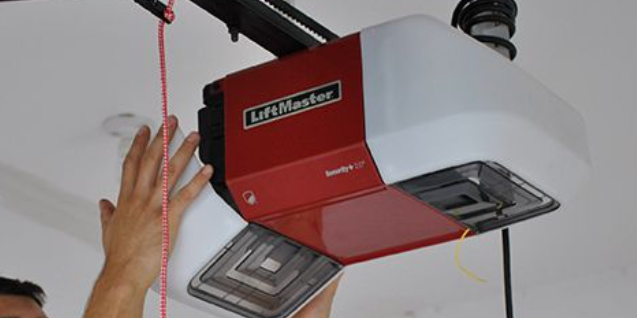
Short range is one of the clearest signs that a remote problem may involve more than simple programming. If the opener responds when you stand directly beneath it but ignores the same transmitter from the driveway, the radio command is reaching the receiver only under favorable conditions.
Start with the battery because transmitter output can become less reliable as the battery weakens. Install the exact specified fresh battery and retest from the same locations.
Use consistent test points. Try the remote from inside the garage, immediately outside the opening, the driveway and your normal arrival position. Do not drive around the neighborhood repeatedly pressing the button. You are trying to compare range, not maximize transmission attempts.
Compare another authorized remote when available. If Remote A works from normal distance while Remote B requires you to stand beside the opener, the problem probably follows Remote B. Battery condition, antenna inside the remote, button contact or transmitter electronics may be involved.
If every remote suddenly develops poor range, the shared part of the system becomes more important. All remotes communicate with the same opener receiver and operate in the same general radio environment.
Check the opener's visible antenna where the manufacturer's design includes one. On many ceiling-mounted openers, a short wire antenna extends from the power head. It should not be cut, tucked into the housing or intentionally modified.
Do not extend, splice or replace the antenna based on a generic internet hack. Receiver and antenna design vary, and changing them can create compatibility or regulatory issues.
Short range can also be associated with radio-frequency interference. Chamberlain support specifically identifies radio-control range and radio-frequency interference as troubleshooting categories for compatible remotes.
That does not mean every weak remote is suffering interference. A depleted battery or failing transmitter can produce a nearly identical symptom.
A useful diagnostic pattern is whether the range changed suddenly after something electrical was added or replaced near the garage. If the remote worked normally until a new device, power supply, lighting product or other electrical equipment was installed, note the timing.
Temporarily turning a recently added device off for comparison can sometimes help isolate an interference source, provided doing so is safe and does not involve opening electrical equipment.
If range improves dramatically under one repeatable condition, document it. The information can be more useful than immediately ordering a receiver board.
What Is a Garage Door Remote Signal or Interference Problem?
A garage-door remote communicates wirelessly with the opener's receiver. That communication has to be strong enough and recognizable enough for the receiver to accept the command.
A signal problem can appear as reduced range, intermittent response or a remote that works only from particular positions. The remote may seem perfectly normal because its indicator light illuminates every time, but the receiver does not consistently recognize the transmission.
Radio-frequency interference is one possible reason. Electrical devices can generate unwanted radio noise. Manufacturer support documentation for garage-door remotes includes dedicated troubleshooting for radio-control range and interference, which is why signal conditions belong in the diagnostic process.
Start by asking whether anything changed. Did the problem begin after replacing lighting, installing electronics in the garage, adding a charger, installing another wireless device or changing equipment near the opener?
Timing does not prove causation, but it gives you something testable. If a safely disconnectable device was added immediately before the remote range collapsed, compare operation with that device on and off.
Avoid turning off safety equipment or essential electrical systems merely to test remote range. Focus only on ordinary accessory devices that can safely be removed from service temporarily.
Compare the remote with another transmitter. Interference usually affects the radio environment shared by multiple compatible remotes, while a damaged transmitter may affect only one device.
Vehicle position can also influence the apparent range. Metal bodywork, storage placement and the direction in which a handheld remote is aimed can affect the practical transmission path. Test the remote both inside and outside the vehicle.
Do not assume that a remote should operate from an unlimited distance. The goal is to determine whether its normal useful range changed significantly compared with previous operation or another known-good remote.
If all remotes have poor range after batteries are verified, inspect the opener antenna and move toward receiver diagnosis.
Could the Garage Door Opener Antenna or Receiver Be the Problem?
The handheld remote is only half of the wireless connection. The opener needs a working receiver capable of detecting and interpreting the transmitted command.
A receiver-side problem becomes more likely when several correctly programmed remotes with good batteries behave the same way.
Suppose two different handheld transmitters and a vehicle remote all used to work from the driveway. Now every one of them functions only when the vehicle is almost inside the garage. The probability that all three remotes developed the exact same battery or button problem simultaneously is lower than the probability of a shared receiver, antenna or interference condition.
Start with visual observations. If the opener model uses a visible antenna wire, check that it is present and has not obviously been cut or tucked into the opener housing. Do not pull on it or attach additional wire.
Then look for opener diagnostics. Some operators use LEDs or displays to indicate communication or internal faults. Interpret those indicators using the exact manufacturer's documentation.
Internal receiver electronics should not be diagnosed solely because a remote does not work. The technician or homeowner should first rule out simple transmitter batteries, remote programming, lock mode and obvious signal conditions.
A logic board may contain the radio receiver on some opener designs. On others, the architecture may differ. This is why ordering a “receiver board” from a generic online recommendation can result in the wrong part.
If an opener has been modified previously with an external receiver, diagnosis can involve both the original operator and the add-on equipment. Identify what is actually installed before buying replacement remotes.
If every remote fails but the wall station continues operating the door normally, tell the technician that exact symptom. “Wall button works, all remotes fail” is far more useful than simply saying “the opener is broken.”
Likewise, if the keypad still works while all handheld remotes fail, mention that. The keypad may communicate wirelessly as well, and that difference can help narrow compatible receiver functions or transmitter-specific problems.
Receiver diagnosis may require testing beyond safe homeowner troubleshooting, especially if the opener housing has to be opened or electrical measurements are required.
Can the Garage Door Remote Be Physically Damaged Even if the LED Works?
Yes. An indicator light proves that at least part of the remote is receiving battery power. It does not prove that the transmitter is generating the correct radio command.
Handheld remotes live in difficult environments. They are dropped onto concrete, exposed to vibration on a vehicle visor, carried on key rings and sometimes left in hot vehicles. Plastic housings can crack, buttons can wear and internal circuit connections can fail.
A damaged button is especially common as a user-facing symptom. You may have to press one side of the button harder than before, hold it longer or push repeatedly. The LED may flicker depending on pressure.
Compare buttons if the remote has more than one. A single failing button can suggest a switch or contact problem rather than a completely dead transmitter.
Inspect the case for signs of impact. A remote that stopped working immediately after being dropped deserves different suspicion from one that gradually lost range over several months.
Moisture exposure can also damage electronics. If the remote was soaked, do not assume a new battery will restore reliable communication.
If another compatible remote operates the opener normally from the same distance, while the suspect remote has a new battery and proper programming, replacement of the transmitter may be more reasonable than opener repair.
Verify compatibility before buying a replacement. The fact that two remotes look similar does not prove they use the same communication system.
What if Every Garage Door Remote Stops Working at the Same Time?
Multiple failed remotes change the probability of the diagnosis. If two or three independent transmitters all stop operating the same opener on the same day, a shared cause deserves priority.
The opener's lock or vacation function is one of the first shared causes to check. If enabled, the wall button may continue to work while handheld radio controls are ignored.
The next shared possibility is opener memory. If somebody intentionally cleared the programmed devices, all previously learned remotes may need to be enrolled again.
Signal interference is another shared possibility. If all remotes retain some function but their range collapses, the local radio environment or opener antenna deserves attention.
The opener receiver is also shared by every handheld remote. If the receiver stops recognizing authorized radio commands, multiple transmitters can appear defective simultaneously.
Compare any wireless keypad or vehicle-integrated transmitter. If those also fail, the shared receiver or settings become even more relevant.
Conversely, if a keypad and vehicle transmitter still work normally while two old handheld remotes fail, do not condemn the opener yet. The individual handheld devices may share age, battery condition or compatibility issues.
Check whether anything was recently reset, repaired or replaced. A logic-board replacement can require remote reprogramming. A homeowner may also clear memory for security and forget that every handheld device was removed.
Do not repeatedly press every remote dozens of times. Repeated commands do not restore programming and can make observation more confusing.
Why Does the Handheld Remote Fail While the Car's Built-In Garage Button Still Works?
Vehicle-integrated garage controls can provide an excellent comparison because they give you another transmitter that may communicate with the same opener.
If the vehicle button works normally from the driveway but a handheld remote does not work from the same location, the opener receiver is demonstrating that it can still recognize at least one wireless command.
That pushes the diagnosis back toward the handheld remote: battery, programming, compatibility or physical transmitter damage.
The reverse is also possible. A handheld remote may work normally while the vehicle's integrated control does not. In that case, review the vehicle-control programming instructions rather than changing opener travel or garage-door hardware.
Integrated vehicle controls can require compatibility bridges or particular programming methods on some combinations of vehicles and openers. Use the documentation supplied by the opener and vehicle/control-system manufacturer.
Do not repeatedly erase opener memory simply because one vehicle lost pairing. Doing so can remove all functioning handheld remotes and turn one programming issue into several.
What if the Remote Sometimes Fails but the Garage Door Also Opens Unexpectedly?
A remote that does not respond consistently and a garage door that appears to open without a command can be related, but they should not automatically be treated as the same fault.
Unexpected opening introduces a different diagnostic question: did an authorized or unintended control issue an OPEN command, or did the door actually reverse after a failed closing cycle?
Portable remotes can be relevant to both symptoms. A damaged remote might fail on some button presses while a sticking button or accidental activation can create unwanted commands.
The opener receiver and logic electronics are also common to both problems. Intermittent internal electronics could potentially affect remote recognition or opener behavior, but the diagnosis should rule out external controls and ordinary remote issues first.
If your problem includes the door operating when nobody intended it to, see the related guide to unexpected garage door opening in Summerlin . That guide focuses on remote commands, wall controls, connected apps, wiring, opener electronics and the important difference between true unexpected opening and a closing reversal.
The relationship between these topics is useful because a remote-control complaint can occasionally be part of a broader opener-control issue. At the same time, a remote that simply needs a fresh battery should not be turned into a logic-board diagnosis without evidence.
A Safe Garage Door Remote Troubleshooting Process for Las Vegas Homeowners
Changing one variable at a time produces a more reliable diagnosis. The following sequence starts with simple checks and moves toward the opener only when the evidence supports it.
Step 1: Test the Wall Control
Press the interior wall button from a safe position. If the garage door operates normally, record that result. It immediately separates many remote-specific problems from complete opener failure.
Step 2: Check the Remote Indicator
Press the handheld transmitter and observe whether its LED or other power indicator behaves normally according to the model. No light can point toward battery or transmitter power on applicable remotes.
Step 3: Install the Correct Fresh Battery
Use the battery type and polarity specified for the exact remote. Retest before changing anything else.
Step 4: Compare a Second Remote
If another authorized transmitter works, focus on the failed remote. If every remote fails, move your attention toward shared opener settings, receiver communication or signal conditions.
Step 5: Check Lock or Vacation Mode
Consult the opener manual and wall-control indicators. A remote-lock feature can make functioning transmitters appear dead.
Step 6: Verify Programming
Use the official procedure for the exact opener and remote. Do not clear all opener memory unless you intentionally want to remove every programmed device.
Step 7: Compare Remote Range
Test from repeatable positions. If the transmitter works only directly beside the opener, investigate battery strength, signal interference, antenna condition and receiver performance.
Step 8: Note Recent Electrical Changes
Consider whether remote range changed after new electrical or wireless equipment was added near the garage. Safely compare operation with ordinary accessory devices removed from service when practical.
Step 9: Inspect the Visible Opener Antenna
If the model uses a visible antenna wire, verify only that it appears present and undamaged. Do not splice, extend or modify it.
Step 10: Record Opener Diagnostics
Note model numbers, blinking LEDs, display messages or other diagnostic behavior before resetting the operator.
Remote Problems Do Not Justify Unsafe Garage Door Adjustments
A nonworking transmitter can be frustrating, but it usually does not require touching high-tension garage-door components.
- Do not wind or unwind torsion springs because a remote stopped working.
- Do not adjust cable drums or lift cables to solve a radio-control problem.
- Do not change opener force simply because a transmitter is unreliable.
- Do not bypass photo-eye safety sensors to diagnose a handheld remote.
- Do not open line-voltage electrical wiring if you are diagnosing signal range.
- Do not modify the opener antenna with improvised extensions.
- Do not clear all programmed remotes until you understand how to restore authorized devices.
- Do not repeatedly operate a garage door that becomes crooked, off track or mechanically unstable.
The U.S. Consumer Product Safety Commission states that automatic residential garage-door operators are subject to the mandatory federal safety standard in 16 CFR Part 1211. See the CPSC automatic residential garage-door operator guidance .
UL Solutions also explains that UL 325 addresses electric door-operator hazards including entrapment and that correct installation, use, maintenance and safety devices remain important. See UL Solutions information about UL 325 .
What Las Vegas Homeowners Should Consider When a Remote Becomes Unreliable
The basic radio and electrical principles of a garage-door remote are the same in Las Vegas as elsewhere, but local household conditions can affect how the problem is experienced.
Many Las Vegas homes use the garage as a frequent vehicle entrance, which means transmitters may spend much of their lives attached to a visor or stored inside a vehicle. A remote carried daily is exposed to vibration, repeated button presses and the normal wear of vehicle use.
Southern Nevada's hot climate is also relevant as operating context, particularly for equipment stored in vehicles or hot garages, but heat should not be blamed for a failed battery, circuit board or receiver without actual diagnosis.
A transmitter that stopped working after being physically dropped has a different evidence trail from a transmitter that slowly lost range. Likewise, all remotes developing short range simultaneously points toward a different problem from one isolated handheld device.
Las Vegas households can also have several forms of garage access at once: handheld remotes, vehicle-integrated controls, an exterior keypad and newer connected opener systems. That makes device comparison especially useful.
If a handheld remote fails but a vehicle transmitter and keypad remain normal, the opener itself may still be communicating correctly. If every wireless control fails but the wired wall station works, focus on shared radio settings, receiver function and the signal environment.
Attached garages also make remote reliability a practical security issue. A homeowner may rely on the transmitter as the primary way to enter the garage after returning home.
Do not convert a remote problem into an unsafe manual-door problem. If the opener can still be operated from the wall station, use normal manufacturer-approved controls while troubleshooting rather than repeatedly disconnecting the trolley.
If the actual garage door becomes unusually heavy, crooked or off track, stop. That mechanical symptom is separate from the transmitter and requires its own diagnosis.
Open Sesame Garage Door Repair Las Vegas serves homeowners and residential property customers in Las Vegas and relevant Las Vegas Valley service areas. The business entity remains Las Vegas, Nevada; local references should not be interpreted as separate physical offices.
When Does a Garage Door Remote Problem Need Professional Opener Repair?
Many remote problems can be isolated without replacing the opener. A fresh battery or correct reprogramming may solve the problem. Professional diagnosis becomes more useful when the evidence begins pointing toward the receiver, logic electronics, wiring or another opener component.
Every Remote Fails
If several correctly programmed remotes with fresh batteries fail while the wall button works, the shared radio system deserves attention.
Range Is Extremely Short
Several remotes working only beside the opener can point toward signal, antenna or receiver conditions.
Programming Will Not Hold
A remote that repeatedly loses communication after correct pairing may require deeper transmitter or opener diagnosis.
Opener Shows Diagnostics
Model-specific LEDs or display codes can help identify receiver or control problems before parts are replaced.
Wall Control Also Fails
When both wired and wireless controls stop operating the opener, the problem extends beyond one handheld remote.
Door Movement Is Abnormal
If the opener receives the command but the garage door binds, becomes crooked or does not move normally, mechanical diagnosis may be required.
A good diagnosis should explain why a particular part is being recommended. If a logic board is blamed, ask whether the remote batteries, programming, lock mode, antenna and signal environment were checked.
If a new remote is recommended, ask whether the existing transmitter is incompatible, physically damaged or simply unprogrammable.
If the complete opener is recommended for replacement, ask what internal failure or system condition makes replacement more appropriate than a remote, receiver or programming repair.
The goal is not to replace the most expensive component. It is to identify where the communication chain fails.
Remote, Receiver and Opener: Understanding the Communication Chain
Thinking of the garage-door opener as a chain of separate functions makes remote troubleshooting much easier.
1. The Handheld Remote Generates the Command
The transmitter needs battery power, a functioning button and compatible electronics. If it cannot generate a valid command, nothing else in the system can respond to that button press.
2. The Radio Signal Travels to the Opener
The command must reach the receiver with enough usable signal strength. A weak remote battery, damaged transmitter or radio-frequency interference can affect this stage.
3. The Receiver Recognizes an Authorized Transmission
Programming matters here. The opener needs to recognize the transmitter as a device permitted to operate it. A remote can send a strong signal and still fail if the opener does not recognize its coding.
4. The Opener Control Electronics Process the Command
The receiver passes the recognized command into the opener's control system. If internal electronics have a fault, the remote can be functioning correctly while the opener still fails to respond.
5. The Motor and Drive System Operate
Once the command is accepted, the opener motor and drive mechanism must actually move. A remote is not responsible for a stripped drive component, disconnected trolley or other mechanical opener fault.
6. The Physical Garage Door Must Be Operable
The opener automates a garage door that is mechanically capable of moving. Springs counterbalance the door's weight. Tracks and rollers guide it. If the door is mechanically unstable, fixing the remote will not correct that separate problem.
This layered model explains why “my remote doesn't work” can have different root causes. Sometimes the remote is dead. Sometimes it is no longer programmed. Sometimes the signal does not reach the opener reliably. Sometimes the receiver does not recognize the signal. Sometimes the opener recognizes the signal but cannot operate the door.
Questions to Answer Before Replacing Your Garage Door Remote or Opener
Before purchasing a remote, receiver board or complete opener, collect a few diagnostic answers.
- Does the wall button still operate the garage door? If yes, the remote-control system becomes a more focused suspect.
- Does the remote's indicator light illuminate? If no, battery or transmitter power deserves early attention.
- Does another handheld remote work? A known-good second remote can separate transmitter failure from shared receiver problems.
- Does the failing remote work after a fresh correct battery? If yes, the diagnosis may be complete.
- Has opener memory recently been cleared? If so, the transmitter may simply need to be re-enrolled.
- Is remote lock or vacation mode active? That setting can disable radio controls without creating a receiver failure.
- Does the remote work only from a few feet away? That points toward range, battery strength, interference, antenna or receiver sensitivity.
- Did every wireless control fail at the same time? Shared causes become more important.
- Does the opener show a diagnostic code? Record it before resetting the operator.
- Does the opener activate but the door still fail to move? The problem has moved beyond remote communication into opener-drive or garage-door mechanics.
Answering these questions gives a homeowner or technician far more information than simply replacing parts until something starts working.
Open Sesame Garage Door Repair Las Vegas
Open Sesame Garage Door Repair Las Vegas is a local option for homeowners dealing with residential garage-door opener, remote-control and related operating problems in Las Vegas and relevant Las Vegas Valley service areas.
For a garage door remote problem, the useful diagnosis begins by separating the handheld transmitter from the rest of the system. Does the wall control work? Does another remote work? Does the failing remote have power? Did it lose programming? Has its range become unusually short?
If one remote fails, the transmitter itself may be the problem. If every remote fails, the opener's lock setting, radio receiver, antenna, signal environment or control electronics may deserve more attention.
Open Sesame Garage Door Repair Las Vegas can be considered when battery and programming checks do not solve the issue or when the symptom indicates a deeper opener problem.
For more information about residential garage door opener troubleshooting , or other garage-door service questions, call (702) 888-0842.
Website: bestgaragedoorrepairsummerlinnv.com
Remote Still Not Working After a New Battery?
If the remote has a fresh correct battery but still will not operate the door, note whether the wall button works, whether another remote works and whether the problem is complete failure or short range. Those three details can narrow the next diagnostic step substantially.
Frequently Asked Questions About Garage Door Remotes Not Working
Why is my garage door remote not working but the wall button works?
If the wall button operates the door normally, start with the handheld remote rather than the garage door itself. Check the remote battery, indicator light, programming and physical button. If every remote fails while the wall control works, check lock mode, signal conditions and the opener receiver.
How do I know if my garage door remote battery is dead?
A missing power indicator, intermittent response or sharply reduced range can suggest a weak or dead battery on applicable remotes. Replace it with the exact battery type specified for the transmitter. If another remote still works normally, that strengthens the case for a remote-specific problem.
Will changing the garage door remote battery erase the programming?
Many remotes retain programming during normal battery replacement, but check the documentation for your exact transmitter. Chamberlain states that its referenced Clicker models retain programming after battery replacement. If your remote does not work afterward, reprogramming may be needed.
Why did my garage door remote suddenly stop working?
Common possibilities include a dead battery, lost programming, remote lock mode, transmitter damage, reduced signal range or an opener receiver problem. Test the wall control and another authorized remote first because those comparisons quickly narrow the cause.
Why does my garage door remote work only when I am very close?
Short range can involve a weak remote battery, radio-frequency interference, a damaged transmitter, opener antenna condition or receiver performance. Install a correct fresh battery, compare a second remote and note whether all wireless controls have lost range.
Can radio interference stop a garage door remote from working?
Yes, radio-frequency interference can be part of a garage-door remote range problem. Manufacturer support resources include interference as a troubleshooting category. If range changed after new electrical equipment was added nearby, document that timing and compare operation safely.
Why do none of my garage door remotes work anymore?
If every remote fails at once, check a shared cause before assuming every battery died. Possibilities include remote-lock mode, erased opener programming, radio interference, antenna problems, receiver failure or opener electronics. Test the wired wall control and any wireless keypad for comparison.
How do I reprogram my garage door remote?
Use the programming instructions for the exact opener and remote model. Do not rely on one universal sequence because learn controls, timing and compatible transmitters vary. Avoid clearing the opener's entire memory unless you intend to remove and re-enroll all authorized devices.
Does the garage door opener need repair if the remote will not work?
Not necessarily. If only one remote fails, battery, programming or transmitter damage may be more likely. Opener repair becomes more relevant when several properly powered and programmed remotes fail, range is poor across all controls, or the opener shows receiver or electronic symptoms.
Who can troubleshoot a garage door remote that is not working in Las Vegas?
Open Sesame Garage Door Repair Las Vegas is a local option for residential opener and remote-control diagnosis in Las Vegas and relevant Las Vegas Valley service areas. Call (702) 888-0842 and explain whether the wall control works, whether other remotes work and whether the problem is complete failure or reduced range.
Open Sesame Garage Door Repair Las Vegas on Google Maps
View Open Sesame Garage Door Repair Las Vegas on Google Maps
Battery, Programming, Signal or Opener? Use the Evidence
A garage door remote that stops working does not automatically mean the opener needs replacement. Start with the simplest evidence.
If the wall button operates the garage door normally, the opener is at least responding through its wired control. Check whether the handheld remote has power. Install the exact correct fresh battery and test it before making additional changes.
If the remote has power but is ignored completely, verify programming using the correct manufacturer instructions. Check whether a lock or vacation function is disabling wireless transmitters.
If the remote works only from very close to the opener, treat the complaint as a range problem. Compare another remote. Look for a shared loss of range. Check the visible opener antenna and consider whether radio-frequency interference entered the environment around the same time the problem began.
If several remotes with fresh batteries and verified programming all fail, the shared opener receiver, antenna, programming memory or control electronics become stronger diagnostic candidates.
If the opener receives a command but the garage door does not move normally, stop treating the problem as a transmitter issue. The drive system or physical garage-door system may require inspection.
Do not change spring tension, cable drums, tracks, opener force or safety sensors simply because a handheld transmitter stopped responding. Remote communication and high-tension garage-door mechanics are separate systems.
A step-by-step process—wall button, remote LED, battery, second remote, programming, lock setting, range, antenna and receiver—usually provides much more useful information than replacing parts by guesswork.
Garage Door Remote Still Not Working in Las Vegas?
If you replaced the correct battery, verified the remote programming and the problem continues—or several remotes have stopped responding—contact Open Sesame Garage Door Repair Las Vegas to discuss the opener and remote-control symptoms.
Call (702) 888-0842 and mention whether the wall button works, whether another remote works and whether your transmitter fails completely or works only at short range.
This article provides general homeowner information and does not replace the manufacturer's instructions for a specific garage-door opener or remote. Programming, battery types, radio systems, lock features and diagnostic indicators vary by model. Garage-door springs, lift cables and cable drums may operate under substantial mechanical tension and should not be adjusted as part of remote-control troubleshooting.