

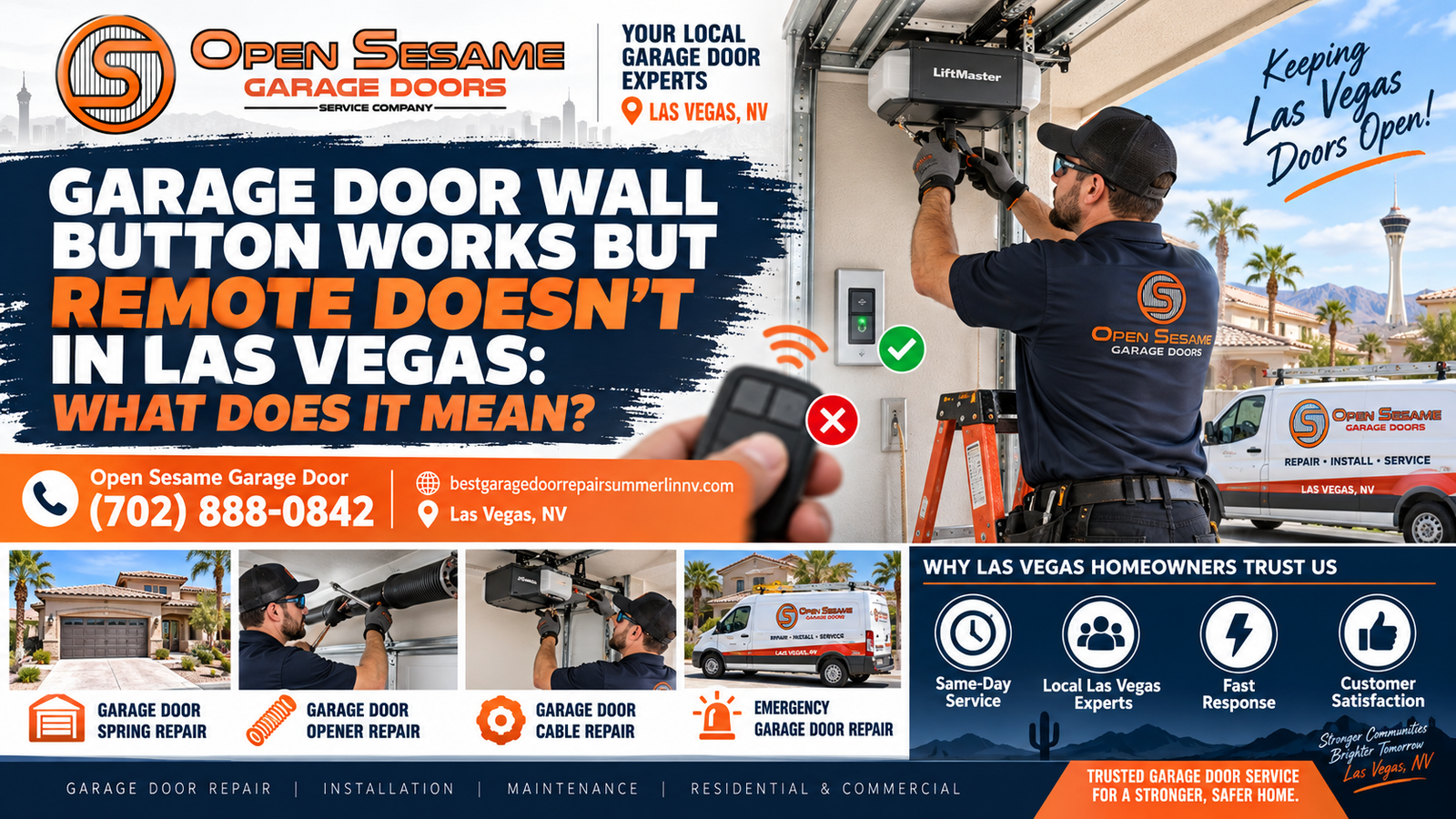
Garage Door Wall Button Works but Remote Doesn’t in Las Vegas: What Does It Mean?
Quick Answer: What Does It Mean When the Wall Button Works but the Remote Doesn't?
If the garage door works from the wall button but not from the remote, the problem is usually on the wireless-control side rather than with the physical garage door. Check remote lock mode, the remote battery, programming, compatibility, signal range and the transmitter itself. If every remote fails, the opener's antenna, receiver or control electronics become stronger possibilities.
The Wall Button and Remote Use Different Control Paths
The most important clue in this problem is that one control still works. The wall station is normally connected to the garage door opener through the installed control system, while the handheld remote communicates wirelessly.
If the wall control can command the opener and the garage door completes a normal cycle, do not begin by adjusting springs, tracks, rollers or cables. Those mechanical components did not suddenly erase the remote battery or programming.
Instead, trace the wireless path: transmitter power → remote programming → radio signal → opener receiver → control electronics.
What Does It Really Tell You When the Wall Button Works?
A working wall control is one of the most useful clues in garage door opener troubleshooting. It immediately gives you more information than the general complaint “my garage door remote does not work.”
Press the wall-mounted control from inside the garage while the doorway is clear. If the garage door opens and closes normally, several things have been demonstrated during that test. The opener has electrical power. It can receive a command through the wall-control path. The motor and drive system can respond. The physical garage door can move through the travel you observed.
That does not prove every opener component is perfect. The receiver responsible for wireless remote communication can still have a problem. An antenna can still have reduced effectiveness. The opener can have a radio-related fault while the wired control remains completely usable.
This is why homeowners should separate the two command paths. A wall control is generally connected directly to the operator through the installed control circuit. A portable remote is a battery-powered wireless transmitter.
When one path works and the other does not, focus on the components unique to the failing path before replacing unrelated hardware.
For the handheld remote, those unique components include the remote battery, physical button, transmitter electronics, programmed relationship with the opener, radio signal and opener receiver.
A remote-lock or vacation feature may also intentionally make the opener ignore remote commands while leaving the wall button functional. This possibility is easy to overlook because the garage door itself seems perfectly healthy.
If you own more than one programmed remote, test the second transmitter. That comparison is extremely valuable.
If Remote A does not work but Remote B operates the garage door normally from the same location, the opener has just proven that it can receive at least one wireless command. The problem is therefore much more likely to follow Remote A.
If Remote A, Remote B and the vehicle-integrated garage control all fail while the wall button continues to work, the shared wireless side of the opener becomes a stronger suspect.
This logical separation prevents unnecessary repair. A broken remote does not require a new torsion spring. A remote that lost programming does not require track adjustment. A radio lock setting does not require a new garage door.
If the door itself becomes crooked, off track, unusually heavy or visibly unstable, that is a separate mechanical condition. Stop repeated operation and address that problem independently.
Homeowners who cannot isolate the control problem can consider local garage door repair in Las Vegas through Open Sesame Garage Door Repair Las Vegas, or call (702) 888-0842 and describe exactly which controls work and which do not.
Wall Button Works but Remote Doesn't: Quick Diagnostic Table
| What You Observe | Likely Area to Check First | Safe Next Test | What It Suggests |
|---|---|---|---|
| Wall button works, one remote has no light | Remote battery or transmitter | Install exact specified fresh battery | Individual remote problem is likely |
| Wall button works, one remote lights but does nothing | Programming or transmitter | Compare another programmed remote | Failed remote may need pairing or replacement |
| Wall button works, every remote fails | Lock mode, programming memory, receiver or interference | Check opener/wall-control status and another wireless device | Shared wireless problem is more likely |
| Remote works only directly beneath opener | Battery, interference, antenna or receiver range | Fresh battery and repeatable distance test | Radio range is degraded |
| Remote stopped after opener reset | Lost programming | Use exact manufacturer's pairing procedure | Remote may no longer be enrolled |
| Wall button works and vehicle control works | Handheld transmitter | Battery and programming check | Opener receiver can still hear another transmitter |
| Wall button works but keypad and all remotes fail | Wireless receiver side or lock setting | Review model-specific status indicators | Shared wireless path deserves attention |
| Remote makes opener click but door does not move | Opener drive or physical door | Observe motor/trolley response | Remote may actually be communicating correctly |
| Remote range became poor after electrical change | Possible signal interference | Safely compare operation with ordinary accessory off | Radio environment may be affecting reception |
| Wall button also stops working | Power, wall control or broader opener issue | Observe safely accessible power/status indicators | Problem is no longer remote-only |
Why Can the Wall Button Work When the Remote Doesn't?
The simplest answer is that the two controls do not necessarily communicate with the opener in the same way.
The wall-mounted control is installed inside the garage and typically communicates through wiring connected to the operator. The remote is a portable wireless transmitter that must send a radio command to the opener's receiver.
A failure that affects only wireless communication can therefore leave the wall control completely functional.
Imagine the opener as a system with several entrances. The wall control enters through one door. The handheld transmitter enters through another. Both ultimately request the same physical action—open or close—but their communication paths are different.
This distinction is supported by manufacturer troubleshooting guidance. When a wall control works but a remote does not, the useful checks are aimed at remote lock settings, battery condition, range, interference, programming and comparison with another remote.
That is very different from troubleshooting a garage door that cannot move from any control.
If the opener responds normally to the wall station, the door's torsion or extension spring did not erase the handheld transmitter's radio code. The garage tracks did not drain the remote battery. The lift cables did not activate vacation mode.
Mechanical parts can still have their own problems, but those problems should be identified from mechanical symptoms: heaviness, crooked movement, binding, unusual noise, loose cables, off-track rollers or visible damage.
Staying disciplined about the symptom helps prevent unnecessary parts replacement.
The diagnostic path for the current problem is primarily electronic and communication-based:
- Confirm the wired wall control operates the door.
- Determine whether one remote or all remotes fail.
- Check whether remote lock mode is enabled.
- Verify the remote battery.
- Confirm remote compatibility and programming.
- Test operating range.
- Consider radio interference.
- Inspect the visible opener antenna where applicable.
- Move toward receiver or control-electronics diagnosis only after simpler causes are ruled out.
The Garage Door Opener Is in Lock or Vacation Mode
If the wall button works but every handheld remote suddenly stops operating the garage, a remote-lock feature should be one of the first things checked.
Some wall controls allow the homeowner to disable normal remote-control operation while still operating the garage door from the wall station. The feature may be described as Lock, Vacation Lock or a similar term depending on the manufacturer and model.
The result can be confusing. You stand inside the garage, press the wall control and the door opens normally. Then you press the visor remote and nothing happens. You replace the battery and still get no response.
If a second remote also fails, the opener may look as though its radio receiver has died. In reality, it may be intentionally ignoring handheld commands.
Check the wall control for a lock button, indicator or display. Some models use flashing lights or other status behavior when the lock function is active.
Do not use instructions written for a different opener merely because the wall controls look similar. Find the brand and model of the installed operator and consult the appropriate manual.
Manufacturer guidance for compatible Chamberlain-family systems specifically lists Lock Mode as an early check when the wall-mounted control works but the remote does not.
If the correct procedure disables lock mode and remote operation returns, no reprogramming or receiver replacement is needed.
This is why it is wise to check settings before clearing the opener's programmed memory. Erasing every remote when lock mode is the actual cause can turn one simple setting issue into a much longer reprogramming task.
The Garage Door Remote Battery Is Weak or Dead
When only one remote fails, battery condition moves near the top of the list. Portable garage-door transmitters depend on a small battery to power the button circuit and radio transmission.
A completely depleted battery can make the remote appear dead. Depending on the model, the transmitter's indicator light may no longer illuminate when the button is pressed.
A weakening battery can produce subtler behavior. The remote may work while the vehicle is in the garage but not from the driveway. It may respond after two or three button presses. Range may become inconsistent.
Those symptoms can be mistaken for a failing opener receiver because the visible result is identical: the door does not respond.
Start with the exact battery specified for the remote. Do not assume that every transmitter uses the same coin cell.
Photograph or note the old battery's orientation before removing it. Coin cells have polarity, and an incorrectly installed replacement can make a working remote appear defective.
Inspect the battery compartment while it is open. Look for obvious corrosion, leakage, a loose holder or broken plastic.
Avoid bending small contacts aggressively. A contact can be damaged while trying to fix what began as a simple battery problem.
After installing the correct fresh battery, test the remote before changing any opener settings.
If it works, stop. You have isolated the cause without disturbing the opener's programming.
If the remote's light works but the opener remains unresponsive, the next useful questions are whether the remote is still programmed, whether it is compatible and whether the opener is receiving the radio signal.
Compare another remote if available. If a second transmitter works from the same location, the evidence remains concentrated on the failed remote.
The physical button also deserves attention. If the LED illuminates only when the button is pressed at an unusual angle or with excessive force, the switch may be worn.
A fresh battery cannot repair a cracked circuit board or worn button contact.
The Remote Lost Its Programming or Was Removed From the Opener's Memory
A remote can have a perfectly good battery yet still do nothing if the opener no longer recognizes it as an authorized transmitter.
This is where programming becomes relevant.
Automatic opener systems use manufacturer-specific methods to learn compatible remote controls. A button on the power head may put the opener into a learning mode, or programming may be managed through another control method depending on the model.
The exact procedure matters. Learn-button colors, timing and compatible remote technologies vary.
Do not assume a random online programming sequence is correct for your opener. Identify the opener brand and model, then identify the remote model.
Lost programming is especially plausible if somebody recently cleared the opener's memory. A security reset after losing a remote, moving into a home or changing access can remove previously programmed devices.
Some opener systems can erase learned remotes when a programming control is held for a specified period. If this was done unintentionally, all previously enrolled transmitters may stop functioning together.
If only one remote stopped working while the other programmed remotes continue to work, do not clear the entire opener memory as your first move. Attempt to reprogram the individual transmitter according to the correct instructions.
If the remote programs successfully and then operates the door, the diagnosis may be complete.
If the opener enters learning mode but repeatedly refuses to accept the remote, compatibility or transmitter failure should be considered.
If several remotes all disappeared from memory after opener electronics were serviced, re-enrollment may be necessary depending on the installed equipment.
Keep track of what changes. Programming one remote, clearing memory, programming a keypad and resetting the opener all at the same time makes it much harder to identify what solved—or created—the problem.
For a broader discussion of batteries, programming and range problems, the related article on garage door remote troubleshooting in Summerlin covers the wider symptom set. The current guide focuses on the more specific Las Vegas clue that the wall control still works.
The Replacement Remote Is Not Compatible With the Garage Door Opener
If a remote has never worked with the opener, compatibility should be checked before treating the situation as a receiver failure.
Garage-door remotes are not interchangeable simply because they look similar. Communication technology varies between manufacturers and opener generations.
A transmitter can have a bright indicator light, a fresh battery and a functional button while still being incapable of communicating with the installed opener.
This problem is common when replacing a lost remote or purchasing a so-called universal transmitter.
“Universal” does not necessarily mean compatible with every automatic garage-door opener ever manufactured. Compatibility charts usually define which opener brands, generations or radio systems are supported.
Identify both model numbers before ordering a replacement.
If the old remote still works and the new remote does not, the opener has already demonstrated that its wireless receiver is capable of operating.
Focus on whether the new transmitter is compatible and whether it was programmed correctly.
Likewise, if the home has two garage-door openers, do not assume a remote programmed to one door is automatically paired with the other.
Some multi-button transmitters can control more than one operator, but each button may need to be assigned correctly.
A remote that opens the wrong garage door is a programming issue rather than proof that the receiver is malfunctioning.
If compatibility cannot be confirmed from the remote and opener labels, use the manufacturer documentation before buying additional transmitters.
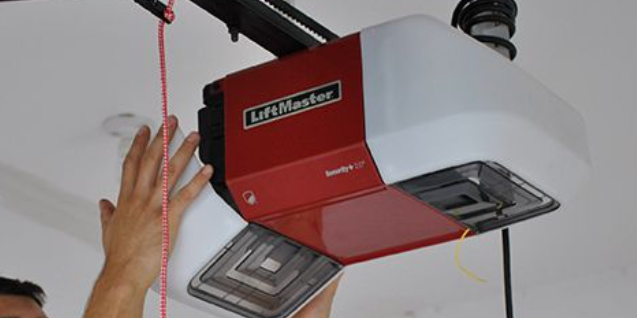
The Remote Works, but Its Usable Range Has Become Very Short
A remote that operates the door from five feet away but not from the driveway is not completely dead. That symptom points toward radio range rather than a total loss of programming.
Begin with the battery because transmitter strength can become less reliable as the battery weakens.
Install a correct fresh battery, then test from repeatable locations.
Start directly beneath the opener. Then move to just outside the garage opening. Then test from the location where you normally use the remote when approaching the home.
Keep the comparison consistent. If you change vehicle position, remote orientation and distance at the same time, it becomes harder to judge whether range improved.
Test a second remote from the same locations.
If Remote A works normally from the driveway while Remote B only works beneath the opener, the problem follows Remote B.
If every remote only works at short range, they all share the same receiver and local radio environment. That makes interference, antenna condition or receiver sensitivity more relevant.
Vehicle position can also affect the practical transmission path. Test the same handheld remote from inside the vehicle and outside it.
The goal is not to determine an exact maximum distance. It is to establish whether the remote's normal usable range has changed meaningfully.
A remote that always required close proximity may simply have different design characteristics from another model. A remote that suddenly lost most of its previous range creates a stronger troubleshooting clue.
Do not extend the opener antenna with improvised wire in an attempt to increase range. Receiver systems are designed for specific antenna configurations.
Radio-Frequency Interference Is Reducing Remote Range
A garage-door remote communicates by radio. Anything that degrades the usable radio signal can make a healthy remote appear weak or unreliable.
Radio-frequency interference is particularly relevant when the wall button works perfectly because the wired control does not depend on the same wireless path.
Manufacturer troubleshooting guidance specifically includes interference as a possible explanation for remotes that work intermittently or only at short range.
The best way to investigate interference is to look for a repeatable change rather than blaming every electronic device in the garage.
Ask when the range problem started. Was lighting replaced around the same time? Was an electronic device, charger or power supply added near the garage-door opener?
A timing relationship is not proof, but it gives you something to test.
Some opener manufacturers specifically identify certain incompatible or noisy lighting products as possible contributors to remote-range issues.
Do not conclude that all LED lighting interferes with garage-door remotes. Many products operate without causing a problem. The useful observation is whether a specific change causes a repeatable difference in your system.
If an ordinary accessory device can safely be turned off or unplugged according to its instructions, compare remote operation with that device on and off.
Do not disable safety equipment or open electrical panels to perform an interference test.
If several remotes all regain normal range when one recently added device is out of service, that is meaningful diagnostic information.
If the range does not change, continue toward the opener antenna and receiver.
Interference can also be intermittent. A device may generate radio noise only while operating.
This is why a homeowner might report that the remote works in the morning but not later, or works when one garage light is off but not when another device is running.
Document the pattern instead of randomly replacing parts.
The Handheld Remote Itself Is Damaged
A working indicator light does not prove that every part of the remote is healthy. It only shows that at least part of the transmitter is receiving battery power.
Portable remotes are frequently dropped, pressed, carried in bags, attached to keychains or stored on vehicle visors.
Physical wear can damage the button, battery holder, circuit board or radio electronics.
Inspect the case. Look for cracks, a loose battery door or evidence that the remote was recently dropped.
Press the operating button normally. Does it feel different from the other buttons? Does it stick? Does the indicator appear only when you press one edge?
A worn tactile switch can make the remote intermittent even with a new battery.
Moisture exposure can also damage the electronics. If a transmitter was soaked or left in a wet environment, a new battery may make the indicator light return while radio operation remains unreliable.
Comparing a second remote is again useful.
If a known-good transmitter operates the door normally from the same location, while the suspect remote has a new battery and correct programming, the evidence points strongly toward the transmitter.
Before replacing it, verify compatibility with the opener.
Do not purchase a remote simply because it looks identical to the old one. Check model information and communication compatibility.
The Garage Door Opener Receiver, Antenna or Control Electronics Have a Problem
Receiver-side diagnosis becomes more reasonable after the simpler remote-specific explanations have been addressed.
If the wall button works, multiple remotes have fresh batteries, remote lock mode is off, programming is correct and every wireless transmitter still fails, the shared opener radio system deserves attention.
The receiver is responsible for detecting and interpreting compatible wireless remote commands.
Depending on the opener design, receiver functions may be integrated with broader logic or control electronics.
Some opener models use a visible antenna wire extending from the power head. If present, visually confirm that it appears intact and is not obviously cut.
Do not pull, splice, lengthen or replace the antenna based on a generic online suggestion.
Check the opener for model-specific diagnostic lights or a display. Record those indicators before performing resets.
If the operator provides an error code, use documentation written for the actual model.
A receiver problem becomes more compelling when every wireless control is affected in the same way.
For example, suppose two handheld remotes, a wireless keypad and an integrated vehicle control all stop working, yet the wired wall station opens the garage door normally.
It is less likely that four independent transmitters developed separate battery failures at the exact same moment.
The shared radio path should be investigated.
On the other hand, if the wireless keypad and vehicle transmitter work while one handheld remote fails, replacing the opener logic board would be difficult to justify without additional evidence.
If an internal electronics repair is recommended, ask what supports the diagnosis. Were multiple known-good transmitters tested? Was lock mode excluded? Was programming verified? Was interference considered?
A clear answer helps distinguish evidence-based repair from parts replacement by guesswork.
One Remote Doesn't Work vs. All Remotes Don't Work
This comparison can save a substantial amount of troubleshooting time.
If Only One Remote Does Not Work
Concentrate first on the individual transmitter. Check its battery, physical button, compatibility and programming.
If another remote controls the same opener normally, the shared receiver is already demonstrating that it can accept a wireless command.
That does not make receiver failure impossible, but it makes an individual remote problem much more likely.
Test the failed remote after installing a fresh correct battery. If it has never worked, verify compatibility. If it worked previously, check whether it was removed from memory.
If Every Remote Does Not Work
Shift your attention to shared causes.
Start with lock mode. Then determine whether opener memory was cleared. Compare operating range. Consider signal interference. Inspect the visible antenna where applicable.
If every transmitter remains unresponsive, the opener's receiver or control electronics may need professional diagnosis.
If Every Remote Works Only Up Close
A complete loss of programming becomes less likely because the opener is still accepting the commands at short distance.
Focus instead on battery strength, radio interference, antenna condition and receiver sensitivity.
If One Remote Has Poor Range but Another Works Normally
The issue probably follows the individual transmitter.
Install a correct fresh battery. If range remains poor, the remote itself may be deteriorating.
This one-vs.-all comparison is one of the best reasons to keep a second authorized remote available when possible.
What Do Vehicle Controls and Wireless Keypads Tell You?
A built-in vehicle garage control or exterior wireless keypad can provide another useful comparison because they may communicate wirelessly with the same opener.
If the vehicle control works but the handheld remote does not, the opener has demonstrated that it can receive at least one wireless command.
That strengthens the case for checking the handheld transmitter itself.
If the wireless keypad also works, that adds another successful wireless control to the comparison.
Conversely, if every handheld remote, vehicle transmitter and wireless keypad fails while the wall button remains normal, the shared wireless receiver side becomes much more important.
A keypad can have its own battery and programming, so one failed keypad by itself does not prove the receiver is bad.
Use several controls together as evidence.
If you have recently changed vehicles, remember that integrated vehicle controls can require programming separate from the handheld remote.
Do not clear the opener's entire memory merely because one vehicle button needs programming. Doing so can remove other working transmitters.
If you moved into a home with an existing opener and do not know which remotes are authorized, a controlled memory reset and re-enrollment of intended devices may make sense for access management—but use the exact manufacturer procedure.
Step-by-Step: What to Check When the Wall Button Works but the Remote Doesn't
Step 1: Verify the Wall Control One More Time
With the doorway clear, operate the garage door once from the wall station. Confirm that the opener responds normally and the door completes the expected movement.
Step 2: Determine Whether One Remote or All Remotes Fail
Test another authorized remote if available. This single comparison helps separate an individual transmitter problem from a shared wireless-system problem.
Step 3: Check Lock or Vacation Mode
Review the wall-control indicators and opener manual. If the system provides a radio-lock feature, confirm whether it is enabled before replacing batteries or erasing programming.
Step 4: Replace the Remote Battery
Install the exact specified fresh battery with correct polarity. Test the remote before making another change.
Step 5: Inspect the Remote Button and Housing
Look for cracks, a sticky button, loose battery cover, corrosion or evidence of impact or moisture damage.
Step 6: Verify Compatibility
If the remote is new or has never worked, confirm that its model is compatible with the installed garage-door opener.
Step 7: Reprogram the Remote if Appropriate
Use the exact manufacturer procedure. Avoid clearing every programmed device unless a full access reset is intentional.
Step 8: Test Remote Range
Try the transmitter from directly beneath the opener, immediately outside the garage and from your normal driveway position.
Step 9: Compare Possible Interference
If range recently changed after an ordinary electrical accessory or lighting product was added, safely compare operation with that accessory in and out of service.
Step 10: Observe the Opener Antenna and Diagnostics
Check only visible, safely accessible components. Record diagnostic LEDs or display messages and note the opener model before resetting anything.
Step 11: Listen for an Opener Response
Press the remote and listen. If the power head clicks, lights change or the motor starts, the wireless command may actually be reaching the opener, shifting the diagnosis toward another opener or movement problem.
Step 12: Stop if the Physical Door Becomes Unstable
If the garage door becomes crooked, badly off track, unusually heavy or shows a loose cable or broken spring, stop operating it and separate the mechanical repair from the remote-control issue.
What Usually Does NOT Explain “Wall Button Works but Remote Doesn't”?
When the physical garage door operates normally from the wall control, do not immediately start changing high-tension mechanical components.
Torsion Springs
Garage-door springs counterbalance the weight of the door. A failed spring can make the door heavy or prevent normal movement, but a spring does not normally make one wireless transmitter lose its battery or programming while the same opener works from the wall station.
Lift Cables and Cable Drums
Cables and drums work with the spring system to lift the door evenly. Cable problems can create crooked or unstable movement. They are not the normal explanation for a remote-only communication failure.
Tracks and Rollers
Tracks and rollers guide the physical door. If the wall control runs the door smoothly through a complete cycle, track adjustment is not the first response to a remote that does nothing.
Photo-Eye Safety Sensors
Safety sensors are especially relevant to automatic closing and reversal. They should never be bypassed, but a sensor fault is not the first explanation when the same door operates normally from the wall station and only the handheld remote fails to communicate.
Opener Force
Do not increase opener force to solve a radio-control problem. Force settings do not strengthen the remote signal or restore lost programming.
The U.S. Consumer Product Safety Commission identifies automatic residential garage-door operators as products subject to the mandatory safety standard in 16 CFR Part 1211. Safety devices should remain functional during troubleshooting.
- Do not bypass safety sensors.
- Do not wind or unwind torsion springs.
- Do not loosen winding cones.
- Do not adjust loaded cable drums.
- Do not reconnect lift cables under tension.
- Do not force a badly off-track garage door.
- Do not continue operating a visibly unstable door.
- Do not modify the opener antenna with improvised wiring.
Wall Button Works but Every Remote Still Fails?
If lock mode is off, the remotes have fresh correct batteries and reprogramming does not restore operation, note whether the keypad or vehicle transmitter works. That comparison can help determine whether the problem is one remote or the opener's shared wireless receiver system.
Do Las Vegas Conditions Affect Garage Door Remotes?
The basic troubleshooting logic is the same anywhere, but Las Vegas operating conditions can provide useful context for how remotes are stored and used.
Las Vegas sits in a desert valley in Southern Nevada. The National Weather Service describes the Las Vegas Valley as a broad desert valley surrounded by mountain ranges.
That climate context matters because garage-door transmitters are often stored inside vehicles or garages where temperatures can differ significantly from conditioned indoor spaces.
Climate context should not be turned into an unsupported diagnosis. If a remote fails, do not simply declare that Las Vegas heat damaged it.
Instead, diagnose the evidence. Did the remote battery test poorly? Did the transmitter stop working immediately after being dropped? Does another remote work normally? Does the problem affect every remote?
A device-specific explanation is much stronger than a general environmental guess.
Frequent garage use is another practical local consideration. Many residential households rely heavily on garage access for vehicles, which means remotes may be used several times during a normal day.
More controls can also mean more diagnostic comparisons. One household may have visor remotes in two vehicles, a wireless keypad, built-in vehicle buttons and a connected garage-door system.
If one control fails and the others work, that is useful evidence.
If every wireless control fails but the wall button works, the shared receiver side deserves attention.
Rental properties and homes that have changed occupants can introduce a different issue: unknown programmed devices. A previous remote may still have been associated with the opener unless access was reset.
Homeowners who want a known set of authorized controls can follow the manufacturer's official memory-clear and reprogramming procedure, then enroll only the transmitters and keypads they intend to use.
Do not perform that reset casually if several working devices are currently programmed. Every legitimate remote may need to be restored afterward.
Las Vegas, Nevada remains the primary geographic entity for Open Sesame Garage Door Repair Las Vegas. Summerlin and other relevant Las Vegas Valley service-area topics can support individual articles without implying separate physical offices.
What Each Test Actually Proves—and What It Does Not Prove
The Wall Button Works
This proves that the opener can respond through the wall-control path at the time of the test. It also demonstrates that the garage door can perform the movement you observed.
It does not prove that the wireless receiver is healthy.
Another Remote Works
This is strong evidence that the opener can still receive at least one compatible wireless command.
It shifts attention toward the failed remote's battery, programming, compatibility or transmitter electronics.
The Failed Remote Has an Indicator Light
This shows that at least part of the transmitter is receiving battery power. It does not prove that the radio command is being generated correctly.
The Remote Works Only Up Close
This suggests that programming may still be intact because the opener accepts the command under favorable signal conditions.
Battery strength, interference, antenna and receiver sensitivity become more useful areas to examine.
Every Remote Fails
This increases the probability of a shared cause, but it does not prove the logic board is bad.
Lock mode, erased programming, interference and antenna condition should still be considered.
The Opener Clicks When the Remote Is Pressed
A click, light response or motor activation may indicate that the wireless command reached the opener.
At that point the complaint may no longer be a remote communication failure.
The Remote Never Worked
Compatibility and initial programming rise to the top of the list.
The Remote Worked for Years and Suddenly Stopped
Battery condition, physical transmitter failure, lock mode, programming changes, interference or opener receiver problems are more logical than basic compatibility.
When Should a Las Vegas Homeowner Call for Garage Door Opener Diagnosis?
Many cases of “wall button works but remote doesn't” can be resolved through simple checks. A new battery, disabling lock mode or correct reprogramming may restore operation.
Professional diagnosis becomes more useful when the evidence points beyond one transmitter.
Every Remote Fails
Several compatible remotes with verified batteries fail even though the wall control continues to work.
Programming Will Not Work
A compatible remote repeatedly fails to enroll using the correct procedure.
All Remotes Have Poor Range
Several transmitters only operate when standing very close to the opener.
Opener Shows Diagnostics
LEDs or displays indicate a model-specific fault that should be interpreted before replacing parts.
Receiver Behavior Is Intermittent
Wireless controls work unpredictably despite verified batteries and programming.
Door Movement Is Also Abnormal
The remote activates the opener, but the garage door becomes crooked, binds or fails to move correctly.
When describing the problem, be specific.
“The wall button opens the garage normally, but none of three remotes work” is far more useful than “the opener is broken.”
Likewise, “the remote works only when I stand under the opener” immediately points toward a different diagnostic branch than a transmitter that never produces any response.
Record the opener brand and model if safely visible. Note whether lock mode was checked, whether fresh batteries were installed and whether programming was attempted.
If receiver or logic-board replacement is recommended, ask what supports that diagnosis.
Were multiple known-good remotes tested? Was the wireless keypad also affected? Was lock mode ruled out? Was range tested? Was interference considered?
A technician may still determine that internal opener electronics have failed. The important point is that the conclusion should follow the evidence.
Questions to Ask Before Replacing a Remote, Receiver or Garage Door Opener
- Does the wall control operate the door normally? This confirms whether the complaint remains primarily wireless.
- Did you test a second programmed remote? One good wireless control can significantly narrow the diagnosis.
- Was lock or vacation mode checked? This simple setting can make every handheld remote appear defective.
- Was the remote battery replaced with the correct type? Battery condition should be verified before expensive opener parts.
- Is the remote definitely compatible? This is particularly important for replacement or universal transmitters.
- Was the correct programming procedure used? Programming varies between opener models and generations.
- Does the remote work at close range? Short-range operation changes the diagnostic direction.
- Do all wireless controls have the same symptom? Shared failures make receiver-side causes more plausible.
- Was radio interference considered? Particularly important when range suddenly deteriorates across several remotes.
- What evidence supports an opener logic-board replacement? Ask what test or observed fault identifies the board rather than the transmitter.
Nevada homeowners who want to research contractor requirements or verify contractor information can use the Nevada State Contractors Board as an official state resource.
This article does not make a statement about a specific Open Sesame license, classification or status. Any such information should be verified from current official records before relying on it.
Open Sesame Garage Door Repair Las Vegas
Open Sesame Garage Door Repair Las Vegas is a local garage-door repair option serving homeowners and residential property customers in Las Vegas, Nevada and relevant Las Vegas Valley communities.
When the wall control works but a remote does not, the most useful service conversation begins with the control symptoms rather than a guess about which part needs replacement.
Tell Open Sesame whether one remote or every remote has failed. Mention whether the transmitter works at close range, whether a wireless keypad still works and whether the opener responds at all when the remote button is pressed.
These details can help separate battery and programming issues from interference, receiver problems or deeper opener-control faults.
If the physical garage door also shows crooked movement, a loose cable, an off-track roller, unusual heaviness or another mechanical symptom, mention that separately.
A mechanical garage-door problem and a remote-control problem can occur at the same property, but they should not be treated as the same failure without diagnosis.
Phone:
(702) 888-0842
Website:
bestgaragedoorrepairsummerlinnv.com
Frequently Asked Questions About a Wall Button Working While the Remote Doesn't
Why does my garage door wall button work but my remote doesn't?
The problem is usually on the wireless-control side. Check remote lock mode, the handheld remote battery, programming, compatibility and signal range. If other remotes still work, focus on the failed transmitter. If every remote fails, the opener's receiver, antenna or shared wireless settings become more important.
Does a working wall button mean my garage door opener is good?
It proves that the opener can respond through the wall-control path during that test, but it does not prove every component is good. The wireless receiver can still have a problem even though the wired wall station, motor and door movement work normally.
Can lock mode make the wall button work but disable the remote?
Yes, on opener systems equipped with a remote-lock or vacation feature. The wall station may continue operating the garage door while handheld transmitters are ignored. Check the exact opener manual for the lock indicator and correct procedure.
How do I know if my garage door remote battery is the problem?
A missing remote indicator, intermittent operation or reduced range can point toward the battery. Install the exact battery specified for the transmitter with correct polarity. If another remote works normally, a problem with the failed remote becomes even more likely.
Why does my garage door remote work only when I stand close to the opener?
Short range can involve a weak battery, radio-frequency interference, transmitter deterioration, antenna condition or receiver sensitivity. Install a fresh battery and compare a second remote from the same distances before changing opener parts.
Why did all my garage door remotes stop working at once?
A shared cause becomes more likely when every remote fails at the same time. Check lock mode, whether opener memory was erased, radio interference, the opener antenna and receiver function. If the wall button still works, the problem remains concentrated on the wireless path.
Can my garage door remote lose its programming?
Yes. If opener memory was cleared or certain opener electronics were serviced, a previously working transmitter may need to be enrolled again. Use model-specific manufacturer instructions and avoid clearing every working remote unless a complete access reset is intended.
Can LED lights interfere with my garage door remote?
Some lighting products can contribute to radio-control interference on compatible opener systems. Do not assume every LED light is a problem. A useful clue is whether several remotes lost range immediately after a lighting change and regain range in a safe repeatable comparison.
Do I need a new garage door opener if the wall button works but remotes don't?
Not necessarily. Lock mode, batteries, programming, incompatible remotes and signal interference should be considered before complete opener replacement. Internal opener diagnosis becomes more relevant when several known-good wireless controls fail after simpler causes are ruled out.
Who can diagnose a garage door remote problem in Las Vegas?
Open Sesame Garage Door Repair Las Vegas is a local option for residential garage-door opener and remote-control problems. Call (702) 888-0842 and explain whether one or all remotes fail, whether the wall button still works and whether the remote works at close range.
Open Sesame Garage Door Repair Las Vegas on Google Maps
View Open Sesame Garage Door Repair Las Vegas on Google Maps
What Should You Check First?
When the wall button operates the garage door normally but the handheld remote does not, begin with the part of the system that is different: wireless communication.
First determine whether one remote or every remote fails.
If only one transmitter is affected, check its battery, button, compatibility and programming.
If every remote is affected, check the opener's remote-lock feature before replacing anything.
Next, determine whether the opener's programmed-device memory may have been cleared.
If the remotes work only at close range, concentrate on battery strength, interference, the visible opener antenna and receiver range rather than repeatedly reprogramming the transmitters.
Compare a wireless keypad or vehicle-integrated control when available. Each additional control provides another piece of evidence.
A working wireless keypad plus a failed handheld remote suggests an individual transmitter problem. A failed keypad plus several failed remotes suggests a shared wireless issue.
If a remote button clearly makes the opener click, illuminate or run its motor, the transmitter may actually be communicating correctly. Shift attention toward what the opener and physical garage door do after receiving the command.
Do not use a remote-control complaint as a reason to alter torsion springs, cable drums, lift cables, tracks or safety sensors.
Those parts have important mechanical and safety roles, but they do not restore a dead transmitter battery or lost radio programming.
Diagnosis should follow the symptom: working wired control + failed wireless control = investigate the wireless control path first.
Wall Button Works but the Remote Still Doesn't in Las Vegas?
If you checked lock mode, installed the correct fresh remote battery and verified programming but the problem continues—or every wireless remote has stopped working—contact Open Sesame Garage Door Repair Las Vegas to discuss the opener and control symptoms.
Call (702) 888-0842 and mention whether one or all remotes fail, whether a keypad or vehicle control still works and whether the remote operates only at close range.
This article provides general homeowner information and does not replace the manufacturer's instructions for the specific garage-door opener, wall control or remote installed at a property. Battery types, lock features, programming methods, compatible transmitters, diagnostic lights and radio systems vary by manufacturer and model. Garage-door springs, lift cables, cable drums and related counterbalance components can operate under substantial mechanical tension and should not be adjusted as part of remote-control troubleshooting.